

QuickBooks® Online Setup and Support for Your Business
Simple Start, Essentials, Plus, and Advanced
Access and Manage Business Finances on the Go with QuickBooks Online.
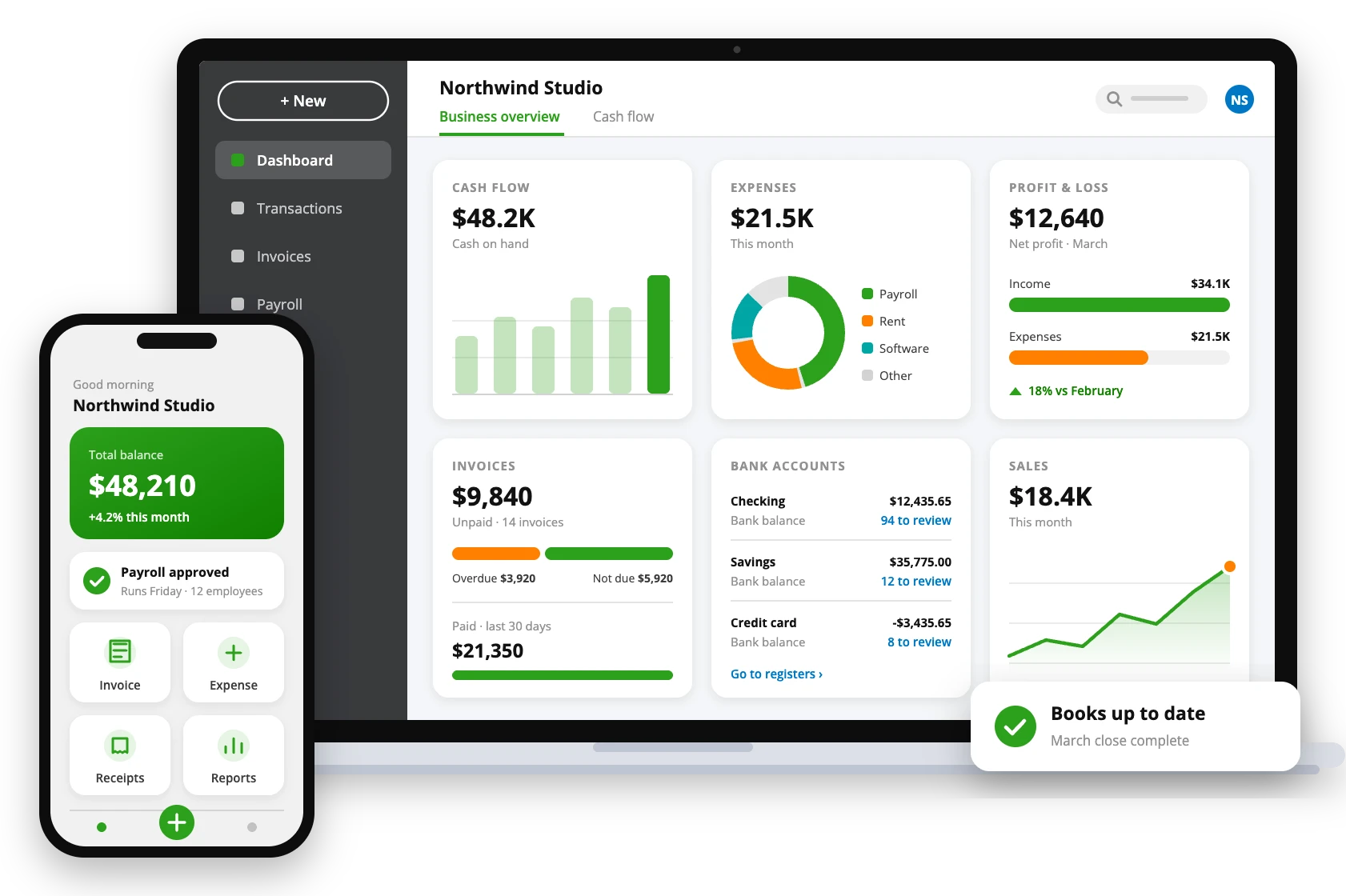
Modernize the Way You Handle Finances with QuickBooks Online
QuickBooks Online is a cloud-based accounting software designed for businesses that value flexibility, accessibility, and efficiency. Whether you’re sending invoices, tracking expenses, managing payroll, or generating reports, QuickBooks Online brings everything together on a secure digital platform. With its intuitive interface and powerful automation tools, it empowers business owners, accountants, and finance teams to work smarter, collaborate seamlessly, and make informed decisions. Invest in QuickBooks Online to manage your finances with speed, accuracy, and convenience without being tied to a single device.
Power Up Your Operations with QuickBooks Online’s Powerful Features
Automated Bookkeeping
Simplify your business finances with intelligent automation that categorizes transactions, reconciles accounts, and ensures precise, up-to-date record-keeping, all efficiently managed in a centralized place.
Accounting Agent
Get in-built assistance right into QuickBooks Online. Available with every plan except Simple Start, this feature provides expert guidance, insights, and tailored support to help you manage your books efficiently.
AI Enabled Collaboration
Collaborate with your accountant using AI-driven insights that identify, fill, and update gaps in your books. Available with all plans except Simple Start, this feature ensures greater accuracy and smarter financial management.
Expenses and Bill Management
Easily auto-match transactions, manage and schedule vendor bills, track mileage, and automatically generate detailed bills to stay organized and maintain complete control over your business expenses in one convenient place.
Dedicated Customer Hub
Manage your clients efficiently with new tools for customer management, task tracking, appointment scheduling and more. Keep every client interaction organized and accessible to deliver better service and build lasting relationships.
Automated Bank Feeds
Connect your bank and credit card accounts to automatically import and update transactions in real time, ensuring accurate, organized, and effortless tracking of your business finances in one place.
Top-Notch Project Management
Gain complete control over your projects with built-in tools for job costing, project profitability tracking, and performance insights. Manage tasks, monitor progress, and ensure every project stays on schedule and within budget.
Accurate Inventory Tracking
Monitor your stock levels with tools for inventory tracking, purchase and sales order management, and shipping label creation. Available exclusively with Plus and Advanced plans for enhanced control and accuracy.
Multi-User Access
Enable collaboration by allowing multiple team members to work simultaneously. With support for 1 user in Simple Start, 3 in Essentials, and up to 5 and 25 users in Plus and Advanced plans, you can manage your books efficiently.
Integration & Sync Tools
Integrate seamlessly with hundreds of popular business apps, including Shopify, PayPal, Square, and more. So, sync your data automatically to simplify workflows, and keep all your business tools connected in one unified platform.
On-the-Go Access
Stay connected to your finances and make informed business decisions on the move with real-time updates and secure cloud syncing. Manage your business anytime, anywhere with the QuickBooks Mobile App.
Custom Financial Reports
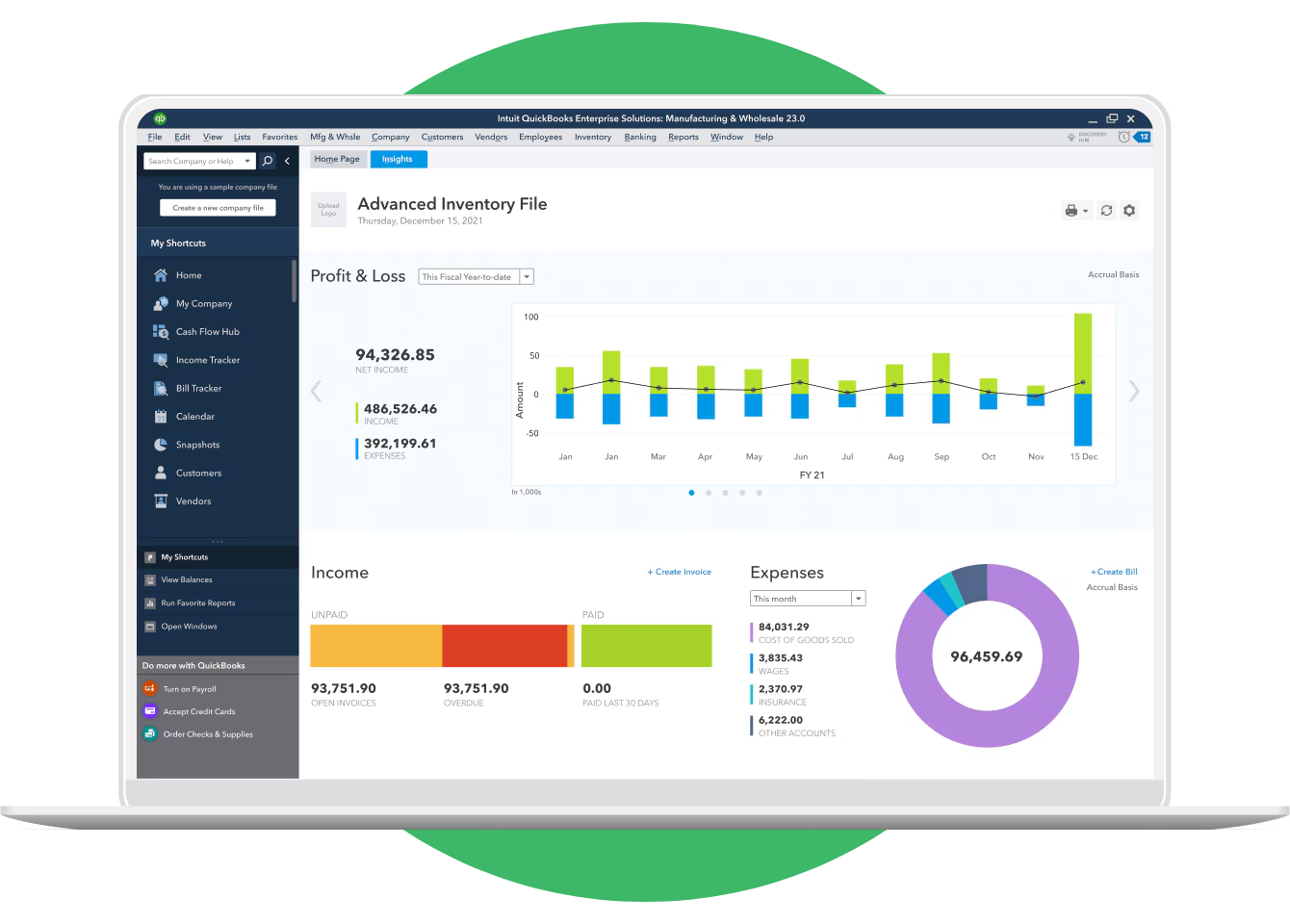
Generate detailed and personalized financial reports that match your business needs. Track income, expenses, and profitability to make smarter financial decisions and keep your business performance on the right track.
Business Checking Account
Easily integrate your QuickBooks Business Checking account to manage deposits, payments, and overall cash flow from a single, organized dashboard. Gain control over business finances by tracking every transaction in real time.
Tax Simplification
QuickBooks Online also helps you identify and categorize deductible expenses automatically, ensuring nothing slips through the cracks during tax season. So, save time and money by maintaining accurate records throughout the year.
Find Out What Makes QuickBooks Online the #1 Choice for Businesses
The 3 Business Essentials
Every QuickBooks Online plan—Simple Start, Essentials, Plus, or Advanced—includes mobile app access, third-party integrations, and free expert assistance, making it an essential solution for businesses of all sizes.
Intuit AI Agents
Access powerful AI-driven agents for accounting, customer management, finance, payments, and project management, making QuickBooks Online a standout choice in today’s competitive business landscape.
Built for Businesses of All Sizes
Whether you’re a startup, a growing company, or an established enterprise, QuickBooks Online scales effortlessly to meet your evolving needs and adapt to your changing business and market requirements.
Uncomplicated Upgradation
Easily switch between plans as your business continues to grow. Upgrade effortlessly without losing data or settings, ensuring a smooth transition and uninterrupted access to all your financial information.
Compare QuickBooks® Online Plans
| Features | Simple Start | Essentials | Plus | Advanced |
|---|---|---|---|---|
| Track income & expenses | Yes | Yes | Yes | Yes |
| Send unlimited custom invoices & quotes | Yes | Yes | Yes | Yes |
| Connect your bank | Yes | Yes | Yes | Yes |
| Track sales & sales tax | Yes | Yes | Yes | Yes |
| Insights & reports | Yes | Yes | Yes | Yes |
| Progress invoicing | Yes | Yes | Yes | Yes |
| Chart of Accounts | Up to 250 items | Up to 250 items | Up to 250 items | Unlimited |
| Users included | 1 + accountant | 3 + accountant | 5 + accountant | Up to 25 |
| Manage bills & payments | No | Yes | Yes | Yes |
| Track employee time | No | Yes | Yes | Yes |
| Multi-currency | No | Yes | Yes | Yes |
| Recurring transactions and bills | No | No | Yes | Yes |
| Track inventory | No | No | Yes | Yes |
| Manage budgets | No | No | Yes | Yes |
| Classes and locations | — | — | Up to 40 | Unlimited |
| Data sync with Excel | No | No | No | Yes |
| Customise role permissions | No | No | No | Yes |
| Automate workflows | No | No | No | Yes |
| Custom reporting fields | No | No | No | Yes |
| Customise dashboards | No | No | No | Yes |
| Backup online & restore data | No | No | No | Yes |
| Manage revenue recognition | No | No | No | Yes |
Plans, features and prices are set by Intuit and can change, so please check Intuit’s website for current details. QAsolved does not sell software; we help you choose the right plan and set it up.
Basic System Requirements to Efficiently Use QuickBooks Online
Operating System
Works on Windows 10 or later, and macOS 10.14 or higher.
Browser
Use the latest version of Chrome, Firefox, Edge, or Safari for best performance.
Internet Speed
Minimum 1.5 Mbps connection; 3 Mbps or higher recommended.
Mobile Access
Compatible with iOS 15+ and Android 10+ via the QuickBooks Online app.
Display
Minimum screen resolution of 1024×768 pixels for smooth viewing.
Additional Requirements
Ensure cookies and JavaScript are enabled, and pop-up blockers are off.
Why Choose Us?
Client-Centric Approach
Our clients are our top priority. We work closely with you to comprehend your business goals and provide solutions that align with your objectives.
Tailored Solutions
We customize our services to meet the unique needs of your business. Whether you’re a startup or a large enterprise, we provide solutions that fit your business requirements.
Expertise and Experience
We have extensive expertise and experience in QuickBooks. We stay updated with the latest industry trends and regulations to provide accurate and compliant services.
Responsive Support
Our dedicated support team is here to address your queries and concerns promptly. We provide ongoing support to ensure smooth business operations.
Which Professionals Get the Best Results with QuickBooks Online?
Freelancers & Solo Entrepreneurs
QuickBooks Online simplifies money management for freelancers and self-employed professionals by tracking income and expenses, sending invoices instantly, and providing insights anywhere through the mobile app.
Small Service-Based Businesses
Consultants, agencies, and personal-service providers can use QuickBooks Online Essentials or Plus to manage projects, automate invoicing, process payments, and handle payroll all from one intuitive platform.
Retail & E-Commerce
Retail and online store owners benefit greatly from QuickBooks Online’s real-time inventory tracking, detailed sales reporting, and seamless integration with leading e-commerce platforms for smoother operations.
Contractors & Project-Based Businesses
Contractors and project-driven teams can use QuickBooks Online Plus to monitor job costs, track time, and manage budgets per project. Cloud access ensures teams and accountants always stay in sync.
Growing & Multi-Location Businesses
For expanding or multi-location companies, QuickBooks Online Advanced supports multiple users, role-based access, automated workflows, and custom dashboards, helping businesses scale operations while maintaining financial control.
Frequently Asked Questions
Is there a one-time purchase option for QuickBooks?
No, QuickBooks no longer offers a one-time purchase option. Intuit has moved all its current products, including QuickBooks Online and QuickBooks Desktop, to a subscription-only model. This ensures users receive regular updates, cloud access, and the latest features continuously.
How much does a QuickBooks Online subscription cost per year?
The annual cost of a QuickBooks Online subscription varies depending on the plan you choose. Prices and offers are set by Intuit and change from time to time, so please check Intuit’s website for current pricing. Choose the best QuickBooks Online versions or products based on your business needs and budget to get the most value from your subscription.
What are some QuickBooks Online alternatives?
Ther are several reliable alternatives to QuickBooks Online that are available for businesses seeking different features or pricing options. Popular choices include Xero, FreshBooks, Wave, Zoho Books, and Sage Business Cloud Accounting.
What is the pricing for QuickBooks Online Advanced?
The QuickBooks Online Advanced plan supports up to 25 users. Its price is set by Intuit and changes from time to time, so please check Intuit’s website for current pricing. We can help you decide whether Advanced is right for your business.
Can I upgrade my QuickBooks Online plan?
Yes. You can easily switch between QuickBooks Online packages as your business grows. Upgrading to a higher plan unlocks advanced tools like inventory tracking, project management, and custom reporting while keeping your existing data safe.
Does QuickBooks Online have a mobile app?
Absolutely. The QuickBooks Online mobile app lets you create invoices, record expenses, and view reports on the go. Some advanced features (like custom reports or batch transactions) are available only on the web version.