Updated
7 min read


“It takes 20 years to build a reputation and a few minutes of cyber-incident to ruin it.” – Stephane Nappo
Stephane Nappo has been the Global Head of Information Security for Société Générale International Banking Pole since 2011. His emphasis on the critical nature of cybersecurity is a reminder of the stakes involved for all businesses. Data security has become one of the most crucial aspects for companies across the globe. In this context, QuickBooks has integrated several high-end security features to safeguard financial data and ensure compliance. Developed by Intuit in 1992, QuickBooks has revolutionized the way businesses and CPAs manage their finances while protecting their data. Today, with QuickBooks security features, businesses can manage their finances effortlessly without worrying about their data and information.
In this blog, we are going to cover almost every high-end security feature in QuickBooks that we provide assistance with, but before that, let us first understand its benefits.
QuickBooks offers a variety of security features to ensure that businesses can operate safely in a highly competitive digital world. These high-end security features are specifically designed to protect sensitive financial data. Here are the ten benefits of ensuring the best security practices in QuickBooks.
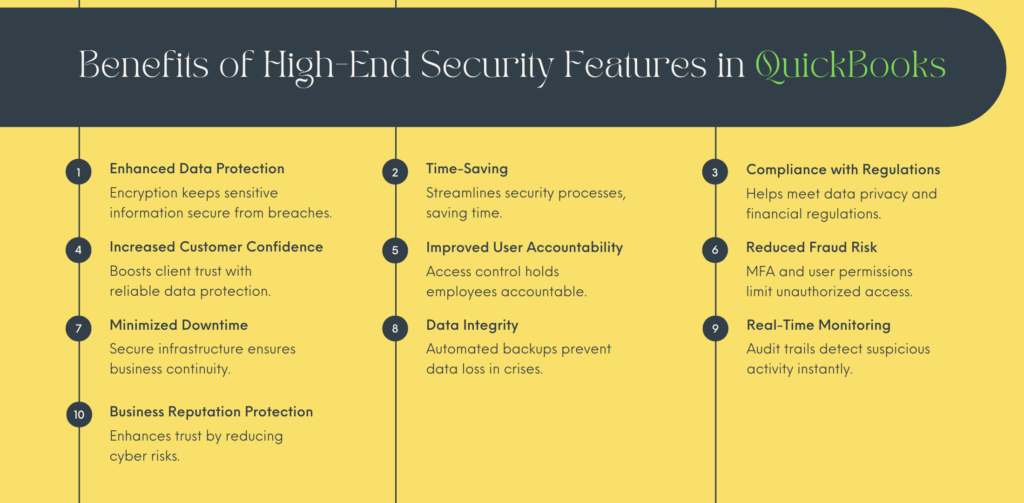
So, these are the ten advantages of QuickBooks security features. Now, let us discuss some of the best high-end security features in QuickBooks that allow businesses to focus on core operations without worrying about their data and information.
With advanced QuickBooks security settings and features, companies can easily safeguard their sensitive financial data, prevent unauthorized access, and ensure compliance with industry regulations. Moving ahead, we will highlight how QuickBooks Online can keep your information secure along with the best security practices in QuickBooks Desktop that one can implement.
Let’s start with QuickBooks Online first.
New users often ask, “Is QuickBooks safe to use?” The answer to that is a “YES.” At QAsolved, safeguarding financial data and information is the topmost priority. Here’s a breakdown of QuickBooks bank feeds security features.
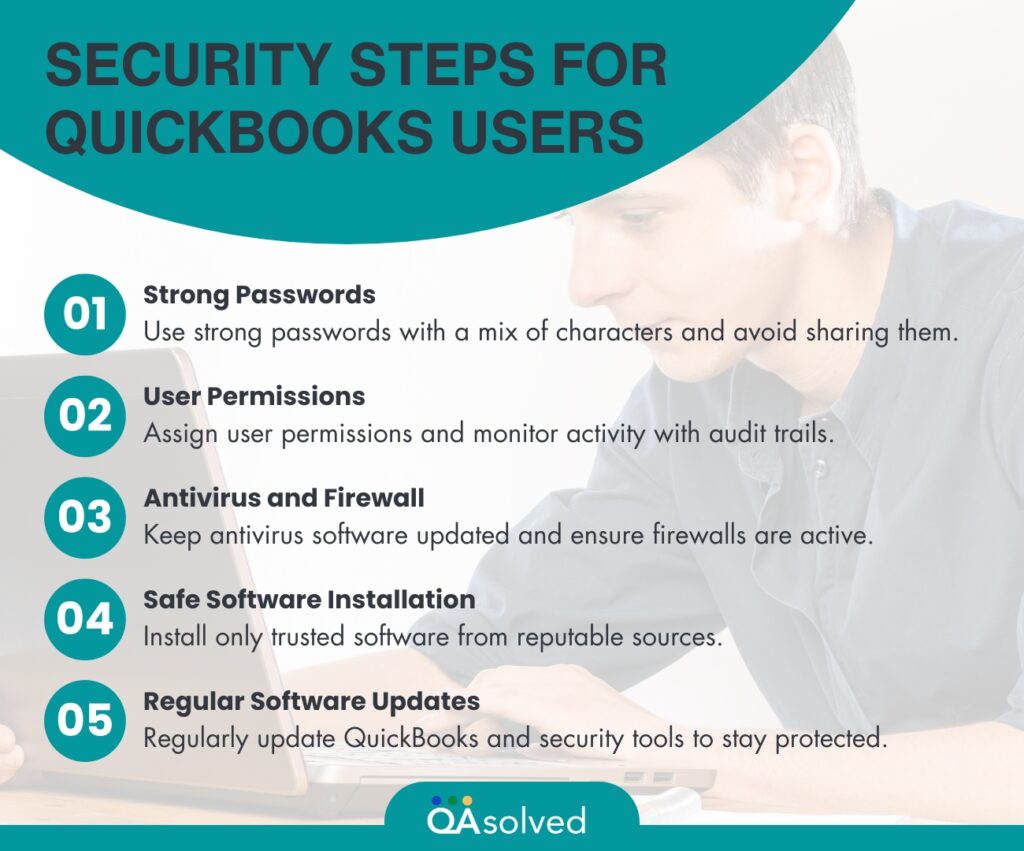
So, these are the top five advanced features that prevent any sort of QuickBooks security breaches. Along with these five, the TRUSTe Privacy Program, Automatic Data Backup, and Password Protection are some of the high-end security features in QuickBooks. Though QuickBooks is completely equipped to neutralize any sort of cybersecurity threat, users should also follow certain steps to leave no stone unturned.
Here are some of the best practices for QuickBooks users when it comes to maintaining the security.
Now, let’s proceed and understand some of the best practices and features of QuickBooks Desktop to implement robust security measures.
Since its launch, QuickBooks Desktop has been a top priority for small and medium-sized businesses. At present, QuickBooks Desktop has four editions: QuickBooks Desktop Pro, QuickBooks Desktop Premier, QuickBooks Desktop Enterprise, and QuickBooks Desktop Accountant.
Note: These editions differ in user capacity, pricing, and feature availability.
Here are the five top security features in QuickBooks Desktop:
Also Read: How to Create and Backup Company Files in QuickBooks Desktop?
Note: The audit trail is specifically vital when multiple users are accessing your QuickBooks.
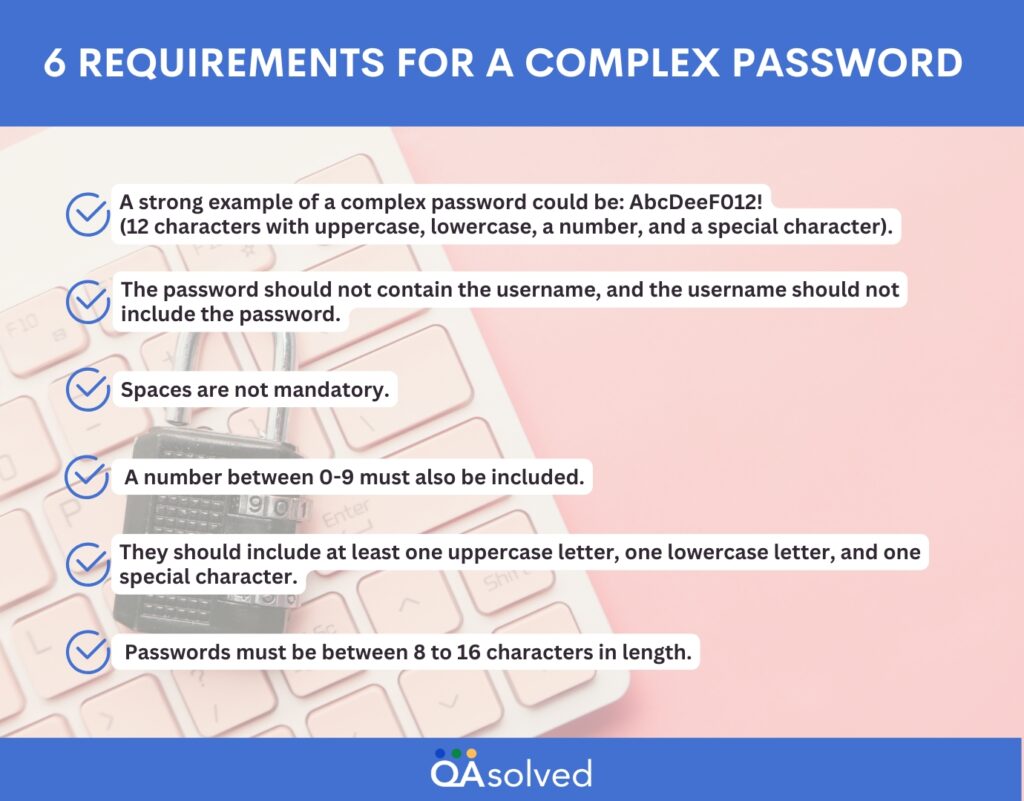
Also Read: How to Configure Firewall and Security Settings for QuickBooks Desktop?
So, these are the advanced security features that come with QuickBooks Online and Desktop versions. Data encryption securely protects all financial information, both in transit and at rest. Role-based access control allows administrators to assign specific user permissions, ensuring that only authorized personnel can access certain features. Additionally, the audit trail function provides a detailed log of user activities, enabling businesses to track changes and maintain accountability within the system. These features collectively help secure a company’s financial data and ensure a safe working environment.
If you’re also looking forward to making the best use of QuickBooks security features, then we are here to provide the best QB support.
Yes! Via firewall-protected servers, password-protected login, and top-notch encryption technology, your data is protected and private.
Yes, QuickBooks has a wide range of products, and each one of them is fully safe and protected.
Yes, your bank account details are safe with QuickBooks as its Bank Feeds are by default on ‘read-only’ mode. In simple words, QuickBooks can only read your transaction. Nothing less, Nothing more.
About the author
Have a QuickBooks® question? Our ProAdvisors can help. QAsolved is not affiliated with Intuit.