Updated
9 min read



QuickBooks is a powerful accounting software that simplifies financial management for businesses of all sizes. However, like any other software, it is not immune to errors. One such issue that users may encounter is QuickBooks Error C=272, which typically occurs when running a memorized report, verifying data, rebuilding utilities, or upgrading the company file. This database-related error can disrupt workflow and prevent users from accessing essential financial data.
The fact is that QuickBooks database error C=272 is not so common, and there are a few resources available on the internet to help you get rid of this. As we said, this error can significantly derange the entire workflow, leaving users in a complicated situation. If you’re also facing the same problem, then you don’t have to worry much because we are here to assist you in the best possible manner.
In this article, we are going to cover the primary causes that trigger this error alongside the early signs and troubleshooting solutions to detect and fix QuickBooks error C=272 once and for all. So, let’s begin with it!
Understanding the root causes of QuickBooks error C=272 can help in troubleshooting and preventing it from recurring. Below are some common reasons why this error occurs:
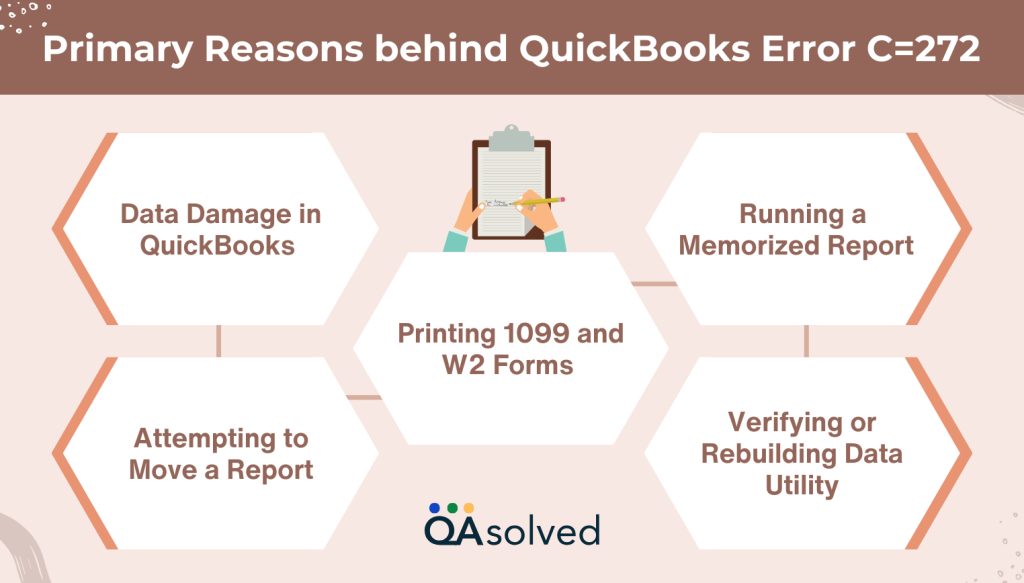
One of the primary reasons for error C=272 is data corruption in the QuickBooks company file. If the data is damaged, the software may struggle to process reports or other operations, leading to an error message. Running the Verify and Rebuild Data utility can help identify and fix such issues.
This error may occur when QuickBooks attempts to move or process a report or report-like data but fails due to system limitations or an internal glitch. The issue often arises when generating a report from an older version of QuickBooks that has not been updated properly.
Some users encounter this error when attempting to print 1099 and W2 forms (V6.OD R [M=1477, L5203, C=43, V=2(2)). This can happen due to incompatibility between QuickBooks and the printer settings or because of corrupt form data within the system.
If you try to run a memorized report that was created in an earlier QuickBooks version, but it did not convert correctly to the current version, error C=272 may pop up. This happens because QuickBooks fails to interpret the report’s structure, leading to data inconsistencies.
When running the Verify or Rebuild Data utility, QuickBooks may stumble upon a target “bit set” that falls outside the expected range. This technical issue occurs when data in the system does not align with the expected format, causing QuickBooks to halt the process and display error C=272.
By understanding these causes, users can take the necessary steps to troubleshoot QuickBooks error C=272 effectively.
Also Read: How to Verify and Rebuild Data in QuickBooks Desktop?
Identifying QuickBooks error C=272 early can help prevent further data corruption and system slowdowns. Here are five common signs that indicate your QuickBooks software is experiencing this issue:
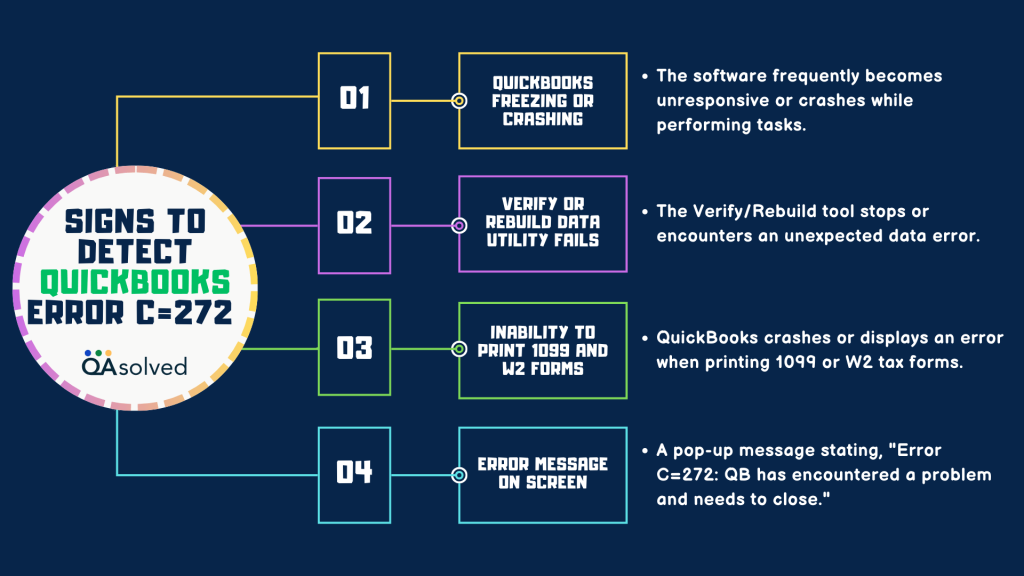
So, these are the five most common signs that can help you identify the issue early and neutralize its threat. Now, let’s discuss the troubleshooting solution. But before that, there’s something that a user should not miss. This thing is called ‘Prerequisites.’
Before proceeding with troubleshooting steps, it is essential to meet certain prerequisites to ensure a smooth and effective resolution. Here are the key requirements:
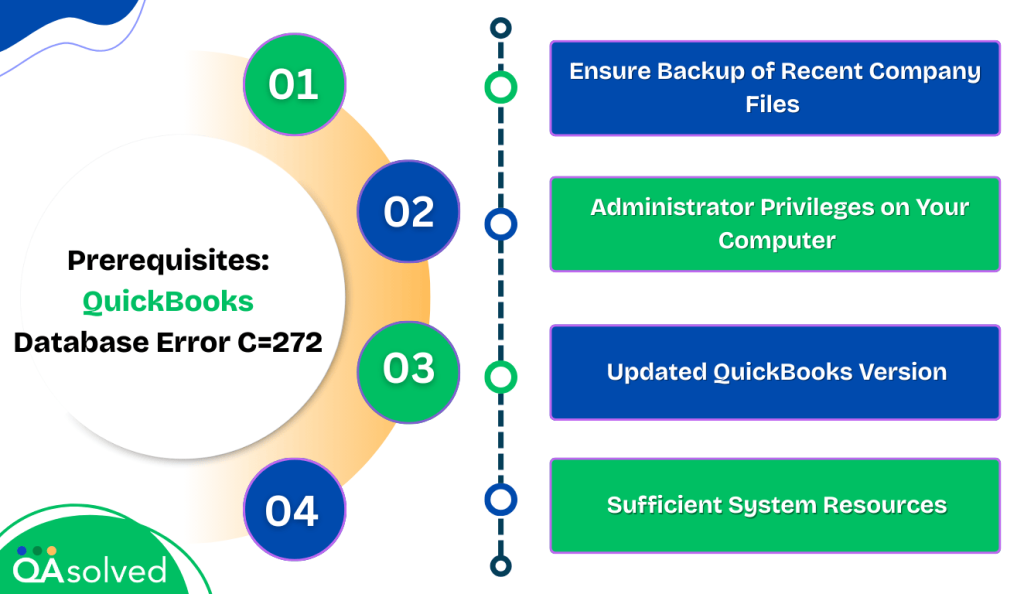
Since Error C=272 can be caused by data corruption, having a recent backup of your QuickBooks company file is crucial.
Some QuickBooks repair tools, such as the Rebuild Data utility, require administrator access to make system-level changes. Ensure you are logged in with an administrator account to perform the necessary troubleshooting steps without restrictions.
Using an outdated QuickBooks version may lead to compatibility issues and unexpected errors. Before troubleshooting, check if your QuickBooks is up to date. If not, update it to the latest release or version to avoid software conflicts and improve stability.
The troubleshooting process, particularly when using the Rebuild Data or Verify Data utility, requires adequate disk space, RAM, and processing power. Ensure your system meets the minimum requirements for QuickBooks to function smoothly and avoid errors during the repair process.
By meeting these prerequisites, you can prevent data loss, avoid unnecessary troubleshooting failures, and ensure a more efficient resolution of QuickBooks error C=272.
Now, let’s address the best troubleshooting solutions and steps to fix Database Error C=272 in QuickBooks.
Struggling with QuickBooks Error C=272?
Don’t let it disrupt your workflow- Reach out to QuickBooks experts for quick and effective support today!
Users often rely heavily on one solution or maybe two solutions to get rid of common errors. However, this error is not so common and can create a major hurdle for all the users out there. This is exactly why we are going to provide four solutions to help you troubleshoot QuickBooks error C=272. So, shall we begin?
The very first and most common solution to get rid of QuickBooks errors is ‘using the Rebuild Data Tool. Here are the steps:
If this doesn’t work, move to solution – 2.
Several files do not open due to compatibility issues, triggering QuickBooks to perform abnormally. You can detect and troubleshoot this error by accessing QuickBooks Sample Company File. Follow the steps:
If an error appears with the sample file, proceed to the next steps.
Here’s how to disable the compatibility mode in QuickBooks Desktop:
If that checkbox is still unticked, you should proceed with the next troubleshooting steps:
If this also doesn’t work for you, then take a look at the other solutions as well.
Recreating the Memorized Report Group helps remove corrupted data and restores report settings to default, resolving Database Error C=272 in QuickBooks. Here are the troubleshooting steps:
Ensuring that data is organized properly in QuickBooks can help prevent database errors like Error C=272. Follow these steps to re-sort the Memorized Reports List:
Re-sorting helps restore the default order of reports, eliminating any inconsistencies that may trigger errors.
So, these are the four most effective troubleshooting solutions and steps to troubleshoot QuickBooks error C=242.
QuickBooks Error C=272 is primarily caused by data corruption, compatibility issues, or problems with memorized reports. By following the troubleshooting steps—such as using the Rebuild Data Tool, re-sorting the Memorized Reports List, and ensuring compatibility settings are correct—you can effectively resolve this error. Additionally, maintaining regular backups and keeping QuickBooks updated can help prevent such errors in the future. If the issue persists despite these fixes, reaching out to our certified QuickBooks ProAdvisors for support is necessary.
Error C=272 in QuickBooks typically occurs due to data corruption, running an outdated QuickBooks version, issues with memorized reports, or incorrect compatibility settings.
You can resolve this error by:
1. Running the Rebuild Data tool
2. Re-sorting the Memorized Reports List
3. Checking Compatibility Settings
4. Restoring a Backup of Your Company File.
Yes, this error may indicate data corruption, which can lead to issues in accessing or processing your QuickBooks files. It is advisable to run Verify & Rebuild Data and maintain regular backups.
Yes, updating QuickBooks to the latest version can resolve compatibility issues and fix known bugs that might be causing the error.
About the author
Have a QuickBooks® question? Our ProAdvisors can help. QAsolved is not affiliated with Intuit.