Updated
7 min read


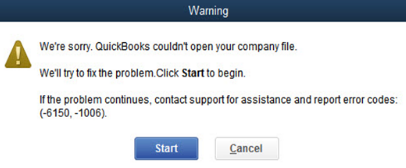
QuickBooks is your trusted partner for managing your finances, but sometimes it throws a curveball. This curveball appears when your QuickBooks software starts waving a red flag, trying to tell you that something’s wrong. QuickBooks error code 6150, -1006 is one such hiccup that appears when you try to open or create a company file. Typically, this problem arises because of a corrupt file, an incomplete QuickBooks installation, or even an attempted file saves with the wrong extension. If left unattended, QB error 6150, -1006 can disrupt your workflow, no matter what the cause might be.
To get rid of this error, one should have all the understanding and tools to restore QuickBooks to its full functionality and get back to managing their business finances smoothly. In this blog, we’ll reveal why QuickBooks Error 6150, -1006 occurs, how to identify its cause, and, most importantly, how to fix it.
Identifying the symptoms of Error 6150, -1006 is crucial to understanding its cause and finding the appropriate solution. The following are the most common signs to watch out for:
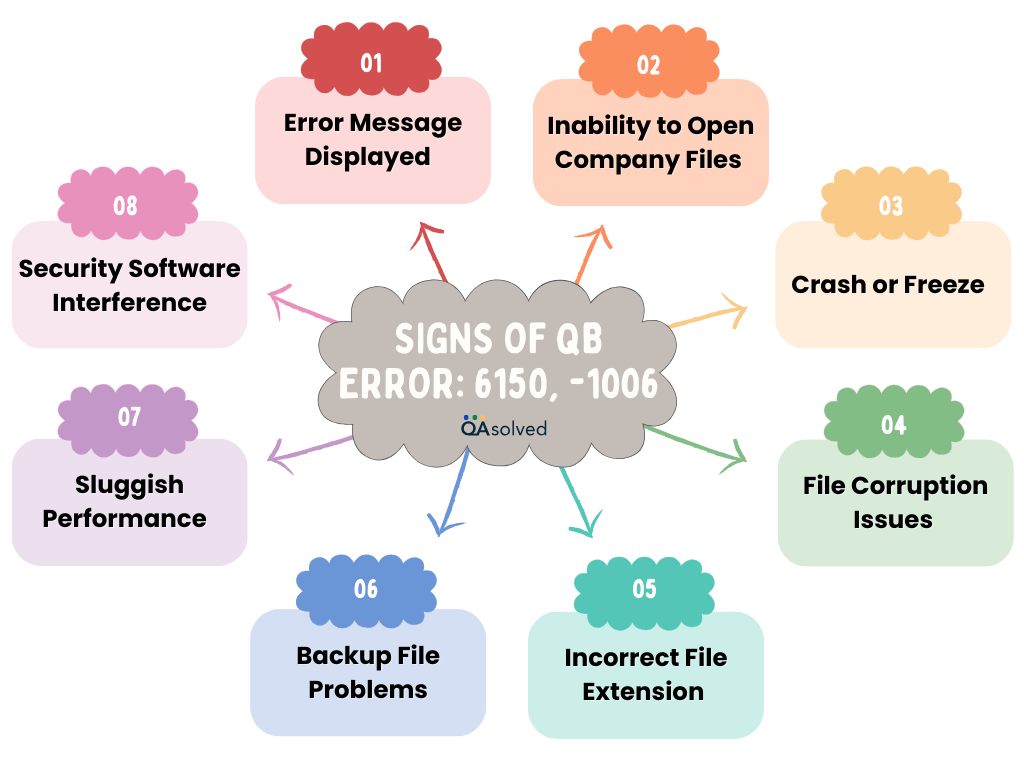
So, these are potential signs that can first help you identify the problem and then troubleshoot it immediately. But do you know what are the causes behind this error? Well, let’s discuss them as well.
The correct fix for Error 6150, -1006 depends on understanding the underlying cause. The most common causes of this error are as follows:
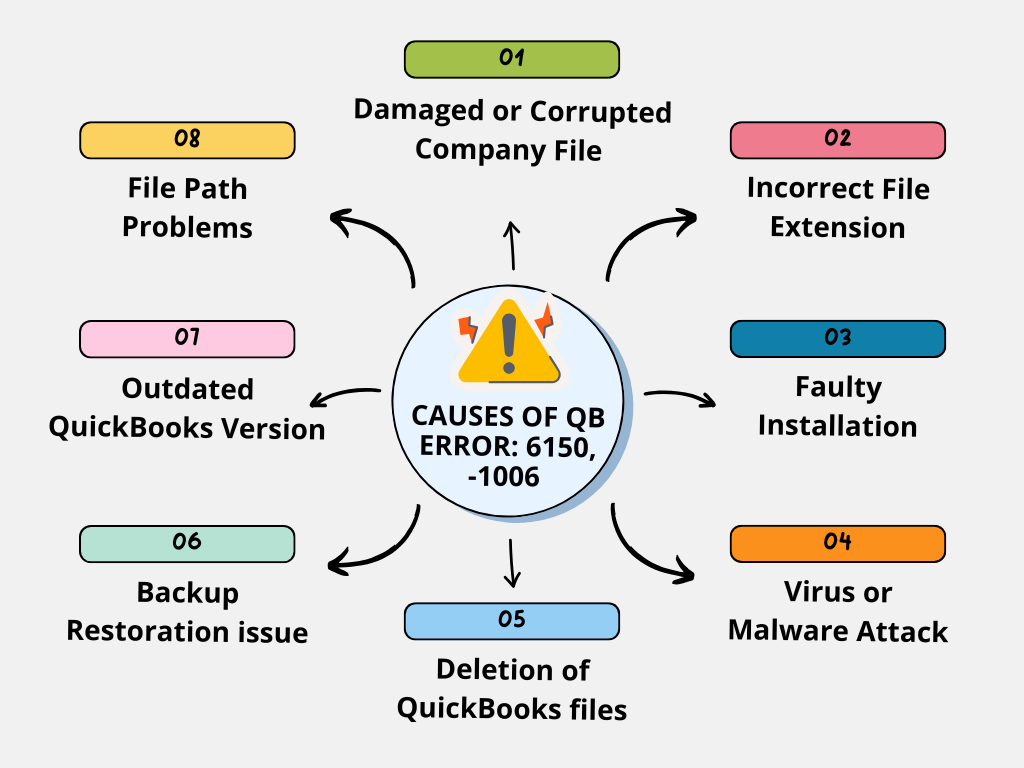
By identifying the cause specific to your situation, you’ll be able to apply the right solution and resolve Error 6150, -1006. Next, we’ll guide you through troubleshooting methods to resolve the issue.
Having trouble with QuickBooks Error 6150, -1006?
Reach us out for step-by-step solutions that will fix the error and ensure your system runs flawlessly. We’ve got you covered!
It may seem daunting, but QuickBooks error -6150, -1006 usually indicates that your company file needs a little attention. Whether you’re experiencing a minor issue or something that requires a bit more effort, we’ve got the solutions you need. Here are the steps you can follow to troubleshoot and resolve the error so that your business can continue as usual.
QuickBooks may not open in rare cases when Crypto Wall virus or other malware triggers Error -6150, -1006. You can determine your next step by checking for this issue:
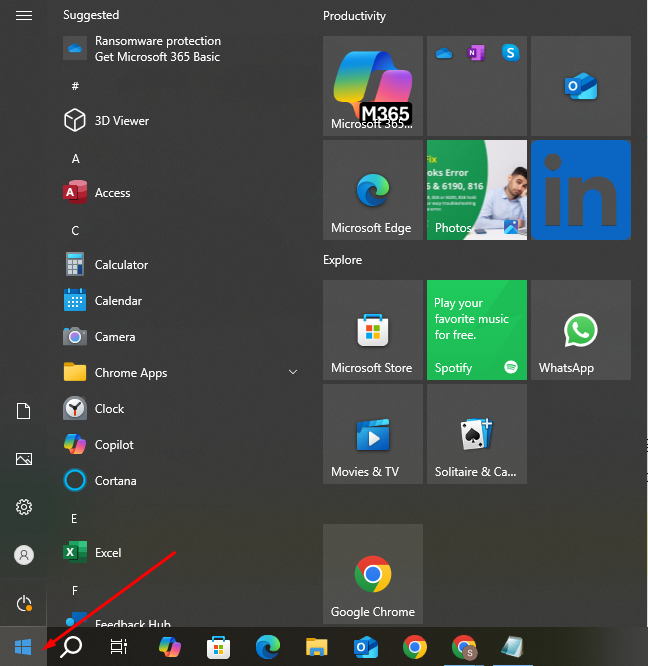
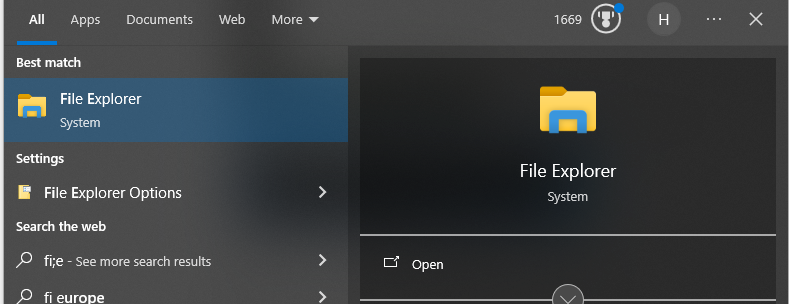
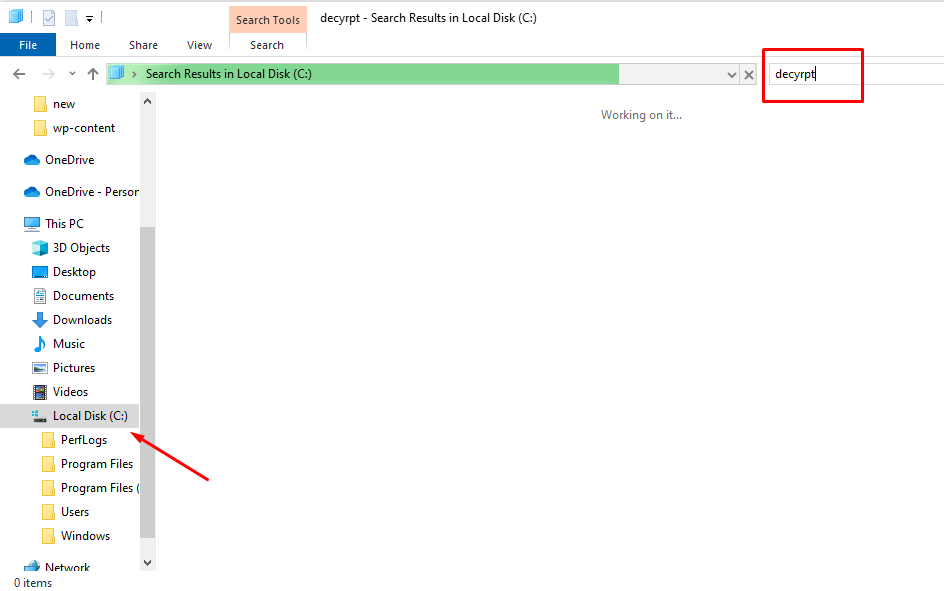
You can proceed to Step 2 if no such files are found on your system.
If you notice these files, contact your antivirus provider for assistance in removing CryptoWall. For instructions on how to proceed, refer to Norton and McAfee’s documentation. Until the virus has been removed, do not take any further steps.
Note: Intuit Data Services cannot repair company files that have been affected.
Restoring a backup creates a new company file (.qbw) from the backup file (.qbb).
Important: Before proceeding, move your backup file from an external device (such as a USB drive) or hosting service (such as Box) to your local drive first. Do not restore the backup in the same folder as your existing company file in order to avoid overwriting it. Alternatively, you can save the backup in a separate folder or rename the files.
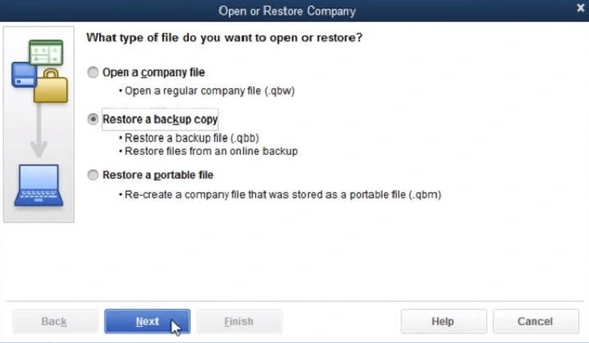
When you’re ready, click Save. Select the option that fits your needs if you are prompted about overwriting your data. Don’t overwrite any files unless, you’re sure. Now you have a new company file.
Tip: Make a backup of your company file (QBB) and restore it. Backups should be restored only if they were made recently, since any work done since the last backup will be lost.
Proceed to Step 3 if the error persists.
Auto Discovery Tool in QuickBooks identifies and recovers lost or corrupted financial data. It identifies issues automatically and provides solutions for restoring damaged files or missing transactions.
For more information about how to use this tool, see our article: “How to recover lost data with QuickBooks Auto Data Recovery.”
By following these troubleshooting steps, you should be able to resolve QuickBooks Error 6150, -1006.
To get rid of any technical error in QuickBooks, one should understand the common causes to either react proactively when they witness a sign or to resolve it permanently. QuickBooks Error 6150, -1006 can be frustrating when trying to access your company file. File corruption, incorrect file extensions, or incomplete QuickBooks installations are common causes of this error. Sometimes, security software and network issues can interfere with QuickBooks, causing this error.
By following the troubleshooting steps mentioned above, you can effectively fix Error 6150, -1006 and restore QuickBooks to working order. If the problem persists, contact QuickBooks professionals for assistance. Maintaining your QuickBooks software regularly and keeping it up to date is one way to prevent problems.
The QuickBooks Error Code 6190 816 indicates that the company file will not open when another user is logged in. You can resolve this issue by switching to multi-user mode from single-user mode.
Try the following solutions:
1. Update QuickBooks and the Web Connector
2. Verify your internet connection
3. Check the settings of the Web Connector
4. Create a new QuickBooks company file
5. Delete old log files
6. Disable your antivirus/firewall temporarily
7. Install the Web Connector again
File Doctor can detect and repair corrupt company files and network connectivity issues that cause this error.
Network configuration issues or access rights to the company file often cause this error when multi-user mode is enabled.
A corrupted company file can be restored using QuickBooks’ “Backup” option or repaired using the “Rebuild Data” tool.
About the author
Have a QuickBooks® question? Our ProAdvisors can help. QAsolved is not affiliated with Intuit.