

Every time a customer taps a card or enters payment details online, an invisible layer of trust is established. What appears to be a simple transaction carries a significant burden to safeguard sensitive cardholder data. For businesses managing their finances through QuickBooks, this responsibility goes far beyond recording payments and balancing accounts. It represents a broader commitment to protecting customer information, maintaining compliance standards, and ensuring secure, reliable financial operations.
The Payment Card Industry Data Security Standard, commonly referred to as PCI DSS, was established to ensure that businesses processing debit and credit card payments adhere to rigorous security protocols. These standards reduce vulnerabilities, prevent data breaches, and safeguard customer information from evolving threats. Compliance is not just about meeting regulations. It is about protecting reputation, revenue, and long-term customer relationships.
Recognizing the importance of this, Intuit has partnered with SecurityMetrics to help businesses meet PCI requirements. Through this collaboration, QuickBooks users can create a SecurityMetrics account and select a security package tailored to their operational needs. According to Intuit, its products are also listed as compliant on the PCI Security Standards Council website, reinforcing their alignment with industry security standards.
Understanding how QuickBooks PCI DSS compliance solutions work empowers businesses to process payments with confidence, maintain regulatory compliance, and build a secure financial foundation for growth. So, let’s get started.
What is Meant by PCI DSS Compliance?
PCI DSS stands for Payment Card Industry Data Security Standard. It is a set of security standards designed to ensure that all businesses that accept, process, store, or transmit credit and debit card information maintain a secure environment.
PCI DSS was developed by major card brands to protect cardholder data from theft, fraud, and data breaches. It establishes specific technical and operational requirements that businesses must follow, such as:
- Securing networks and systems
- Protecting stored cardholder data
- Encrypting data transmission
- Implementing strong access control measures
- Regularly monitoring and testing networks.
- Maintaining an information security policy
Any business that handles card payments, regardless of size, must comply with PCI DSS requirements. Non-compliance can result in penalties, higher transaction fees, reputational damage, and increased risk of data breaches.
In simple terms, PCI DSS is the security framework that helps businesses protect sensitive payment information and operate safely in a digital payment ecosystem.
How Can Intuit Help You Become PCI Compliant?
Becoming PCI compliant is not as simple as installing software or enabling a feature. Compliance is determined by your overall payment environment, how you process transactions, how data flows through your systems, and how securely your network is configured.
Note: While Intuit provides secure payment tools and compliance support, no software alone can automatically make your business PCI compliant.
Intuit supports your PCI compliance journey in several meaningful ways, but the ultimate responsibility for meeting these requirements always rests with the merchant. Through its strategic partnership with SecurityMetrics, you can get access to specialized compliance tools and security packages tailored to different processing environments and risk levels.
The Role of SecurityMetrics in PCI Compliance
Achieving PCI DSS compliance requires more than simply completing a questionnaire. It involves validating security controls, identifying vulnerabilities, and continuously monitoring your payment environment to ensure optimal security. This is where SecurityMetrics plays a critical role in supporting businesses throughout their compliance journey.
SecurityMetrics helps merchants not only understand PCI requirements but also actively implement the Payment Card Industry Data Security Standard within their operational and technical environments. Their services are designed to guide businesses through validation, remediation, and ongoing compliance management in a structured and reliable manner.
As an Approved Scanning Vendor (ASV), SecurityMetrics is authorized to perform required PCI vulnerability scans that identify weaknesses in networks and systems handling cardholder data. In addition to automated scanning, the organization is certified to conduct onsite PCI audits, payment application software audits, and point-of-sale terminal security assessments. These evaluations help ensure that payment systems are configured securely and aligned with PCI DSS standards.
To take full advantage of this support, the next practical step is to create a SecurityMetrics account. Doing so allows you to select the security package that best aligns with your business needs and begin completing the required compliance validations and assessments.
How to Create Your SecurityMetrics Account?
Setting up your SecurityMetrics account is an important step toward meeting PCI compliance requirements and selecting the right security package for your business. Once your account is created, you can begin the compliance process, complete required assessments, and access tools designed to strengthen your payment security environment.
Follow the steps below to create your account and get started:
- Go to the official SecurityMetrics website to begin the registration process.
- Click on Get Started, then select Create Account to initiate your setup.
- Fill in all required fields with accurate business and contact information to ensure a smooth compliance process.
- Select Create Account to finalize your registration.
- After logging in, follow the guided steps to complete your PCI requirements, including assessments and security validations.
If you encounter any issues or have questions during setup, reach out to support for assistance. Creating your account ensures you can access the tools and resources needed to maintain PCI compliance and protect your business from potential security risks.
6 Common PCI Mistakes QuickBooks Users Make
Many businesses assume that using QuickBooks automatically takes care of PCI compliance. While QuickBooks Payments operates within a PCI-compliant environment, merchants are still responsible for validating their own compliance. Below are some of the most common mistakes QuickBooks users make when it comes to PCI DSS.
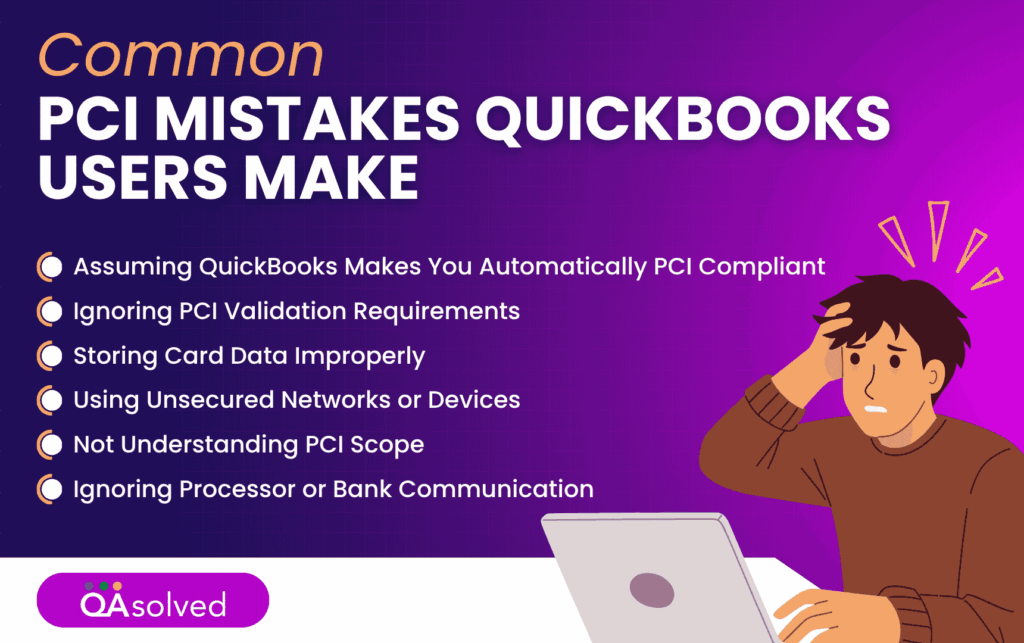
1. Assuming QuickBooks Makes You Automatically PCI Compliant
This is the most common misconception. No software alone can make a business PCI compliant. Compliance depends on your entire payment environment, including your devices, network, storage practices, and how card data flows through your systems.
2. Ignoring PCI Validation Requirements
Even if you never store card data, you may still be required to complete a Self-Assessment Questionnaire (SAQ) and, in some cases, quarterly vulnerability scans. Many merchants ignore these notices from their processor, which can result in non-compliance fees.
3. Storing Card Data Improperly
Some users write down card numbers, save them in spreadsheets, or store them in email threads for convenience. This dramatically increases PCI scope and risk. Cardholder data should never be stored unless absolutely necessary and only in secure, compliant systems.
4. Using Unsecured Networks or Devices
Accepting payments on shared computers, public Wi-Fi, or unprotected networks exposes your environment to risk. Even if QuickBooks’ payment system is secure, your local setup must also meet security requirements.
5. Not Understanding PCI Scope
Businesses often underestimate their compliance obligations. For example:
- Manually entering card details into QuickBooks has different requirements than using a hosted payment page.
- Using integrated third-party apps may expand your PCI scope.
Understanding how card data enters, moves through, and exits your environment is critical.
6. Ignoring Processor or Bank Communication
Acquiring banks and payment processors to enforce PCI compliance. Missing emails or letters about validation deadlines can lead to monthly non-compliance penalties.
QuickBooks simplifies payment processing, but PCI compliance is a shared responsibility. Understanding your environment, completing required validation steps, and maintaining strong security practices can help you avoid costly mistakes and reduce risk.
6 Effective Ways to Stay PCI Compliant in QuickBooks
Since businesses handling card payments are responsible for protecting sensitive customer data, following PCI best practices within QuickBooks helps reduce risk, prevent penalties, and maintain operational integrity.
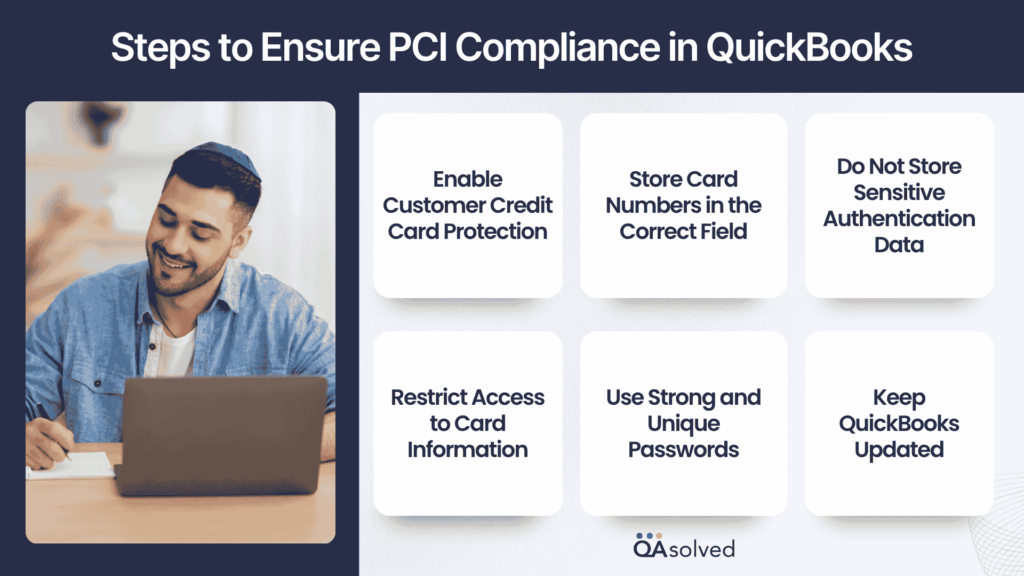
1. Enable Customer Credit Card Protection
Go to the Company menu and select Customer Credit Card Protection.
- If the button shows Enable Protection, the feature is currently inactive.
- If it shows Disable Protection, protection is already active.
Make sure this feature is turned on to secure stored card data.
2. Store Card Numbers in the Correct Field
- Enter card numbers only in the Credit Card No. field under the Payment Info tab.
- Avoid storing card details in notes, memos, or other unprotected fields.
3. Do Not Store Sensitive Authentication Data
Never store PIN numbers, card verification values (CVV), magnetic stripe data, or other authentication credentials in QuickBooks. PCI DSS strictly prohibits retaining this information.
4. Restrict Access to Card Information
Manage user permissions carefully. Grant access only to authorized personnel and remove permissions when access is no longer required.
5. Use Strong and Unique Passwords
Create complex passwords for users who can access card data and update them at least every 90 days to maintain security.
6. Keep QuickBooks Updated
Enable automatic updates to ensure you are using the latest version of QuickBooks with current security patches and system enhancements.
Following these guidelines helps QuickBooks users align with fundamental PCI DSS requirements while reducing the risk of data breaches. Consistent monitoring, controlled access, and updated software are key to maintaining a secure payment environment.
Note: For the most accurate and up-to-date PCI requirements, businesses should refer directly to the PCI Security Standards Council and their payment processor.
How Intuit’s PCI Services Help Protect Your Business?
The collaboration between Intuit and SecurityMetrics helps businesses identify vulnerabilities, strengthen data protection, and maintain compliance more efficiently. Since third-party applications and network environments can also impact payment security, these services are designed to provide broader protection across your systems at an additional cost.
Intuit’s PCI program includes the following core components:
1. Threat Prevention Tools
Vulnerability scans, mobile scans, and SecurityMetrics scans help detect unencrypted card data and identify potential security gaps before they lead to breaches.
2. Card Data Protection Warranty
Eligible businesses receive a protection warranty of up to $100,000 as part of their PCI service coverage.
3. Security Awareness Training
Comprehensive training programs educate teams on preventing common threats such as phishing emails, social engineering, and keylogging malware.
Note: While these services simplify compliance, businesses remain responsible for maintaining secure systems and ensuring their environment continues to meet PCI DSS standards.
What is the Deadline for PCI DSS Compliance?
There is no single universal deadline that applies to all businesses for becoming PCI DSS compliant, but there are important timelines associated with the current PCI DSS version.
1. PCI DSS v4.0 Is the Active Standard
PCI DSS version 4.0 officially became the active standard on March 31, 2024. From that date forward, all new PCI assessments must follow the updated v4.0 requirements.
2. Full Enforcement of All v4.0 Requirements
The final transition period for PCI DSS v4.0 ended on March 31, 2025. After this date, all applicable requirements, including those previously considered best practices, became mandatory for organizations that process, store, or transmit cardholder data.
3. Compliance Is Ongoing
PCI compliance is not a single-instance with a fixed expiration date. It is an ongoing exercise that includes:
- Completing an annual Self-Assessment Questionnaire (SAQ) or Report on Compliance (ROC)
- Performing quarterly vulnerability scans when required
- Submitting compliance validation documents to your acquiring bank or payment processor
In practical terms, the deadline to be compliant is continuous. Businesses must maintain compliance at all times and validate it annually according to their merchant agreement.
If your business has not yet aligned with PCI DSS v4.0 requirements, it is important to begin immediately to avoid penalties, increased fees, or potential security risks.
12 Requirements to Meet for PCI DSS Compliance in QuickBooks
The PCI DSS requirements in QuickBooks are determined by how your business processes credit and debit card payments. The method you use, whether in person, online, or through integrated systems, influences the specific compliance obligations you must meet. Failure to comply can lead to financial penalties, mandatory security audits, increased transaction fees, and stricter operational restrictions.
Note: PCI compliance is not a one-shot activity. Businesses must take a detailed overview of PCI DSS compliance and renew their PCI Compliance Certification annually to ensure their systems remain aligned with PCI DSS standards.
PCI DSS is built around 12 core security requirements that form the foundation of a secure payment environment.
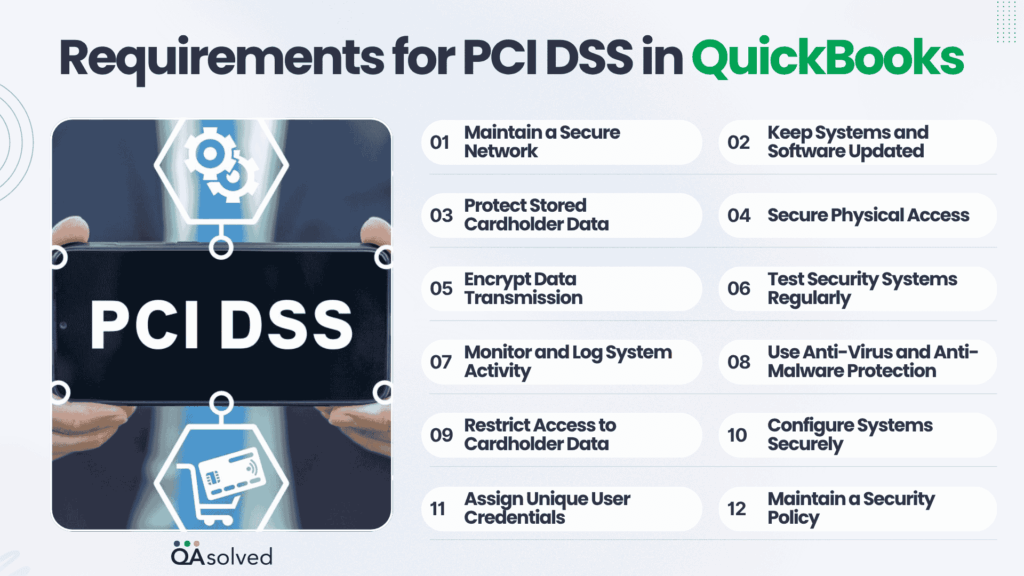
- Maintain a Secure Network: Install and maintain firewalls and security controls to protect cardholder data.
- Keep Systems and Software Updated: Regularly update applications and systems to address security vulnerabilities.
- Protect Stored Cardholder Data: Safeguard sensitive card information through encryption or secure storage methods.
- Secure Physical Access: Prevent unauthorized physical access to systems that store or process card data.
- Encrypt Data Transmission: Ensure card data is encrypted when transmitted over public networks.
- Test Security Systems Regularly: Perform routine vulnerability scans and security assessments.
- Monitor and Log System Activity: Track and record system interactions to detect suspicious behavior.
- Use Anti-Virus and Anti-Malware Protection: Deploy reliable security software to defend against malicious threats.
- Restrict Access to Cardholder Data: Limit access to sensitive data strictly to authorized personnel.
- Configure Systems Securely: Avoid using default passwords and ensure systems are properly hardened.
- Assign Unique User Credentials: Provide each individual with a unique ID to track system activity accurately.
- Maintain a Security Policy: Document security procedures, risk assessments, and compliance practices clearly.
Meeting PCI DSS requirements is essential for protecting cardholder information and maintaining customer trust. By following these 12 foundational principles, businesses can reduce security risks, avoid costly penalties, and build a strong, compliant framework for handling payment data securely.
Note: Merchants must determine their validation type, complete the applicable SAQ requirements, perform required security scans, attest annually, and submit quarterly ASV scan results to maintain PCI DSS compliance.
How to Determine the Right SAQ for PCI DSS Compliance for Your Business?
Choosing the correct Self-Assessment Questionnaire (SAQ) is a critical step in achieving PCI DSS compliance. The SAQ you need depends entirely on how your business processes, stores, or transmits cardholder data. Selecting the wrong type can delay compliance or create gaps in your security validation, so it is important to align your SAQ with your specific payment environment.
Below is a simplified breakdown of the different SAQ types and who they apply to:
1. SAQ A
Designed for e-commerce or mail/telephone-order (card-not-present) merchants that have fully outsourced all cardholder data functions to a PCI-compliant third party. These merchants do not electronically store, process, or transmit cardholder data on their own systems or premises.
2. SAQ A-EP
Applicable to e-commerce merchants that outsource payment processing to a third-party provider but maintain a website that could potentially impact the security of the payment transaction. These businesses also do not electronically store, process, or transmit cardholder data on their systems.
3. SAQ B
Intended for merchants using imprint machines and/or standalone dial-out terminals. These merchants do not store cardholder data electronically and are not involved in e-commerce transactions.
4. SAQ B-IP
For merchants that use only standalone, PTS-approved payment terminals connected via IP to their payment processor. There must be no electronic storage of cardholder data, and this SAQ does not apply to e-commerce businesses.
5. SAQ C
Applicable to merchants using a payment application system connected to the internet, provided they do not electronically store cardholder data.
6. SAQ C-VT
Designed for merchants who manually enter card data into a virtual terminal on a single, dedicated computer used solely for payment processing. No electronic storage of cardholder data is permitted.
7. SAQ D for Service Providers
Intended for eligible service providers that process, store, or transmit cardholder data on behalf of other businesses as part of their services.
8. SAQ D for Merchants
Required for merchants that electronically store cardholder data or do not meet the eligibility criteria for any other SAQ type. This is the most comprehensive questionnaire and includes the full set of PCI DSS requirements.
9. SAQ P2PE
For merchants that exclusively use PCI-approved point-to-point encryption (P2PE) solutions. These merchants must not electronically store cardholder data.
Completing the correct SAQ ensures accurate validation and helps you maintain full alignment with PCI DSS standards.
What Are the Consequences of PCI Non-Compliance?
PCI compliance is not just a technical requirement. It is a business safeguard. When a company fails to meet PCI DSS standards, the consequences can extend far beyond a simple warning notice. Non-compliance exposes businesses to financial, legal, and reputational risks that can disrupt operations and damage long-term growth.
Here is what businesses may face if they do not comply with PCI DSS requirements:
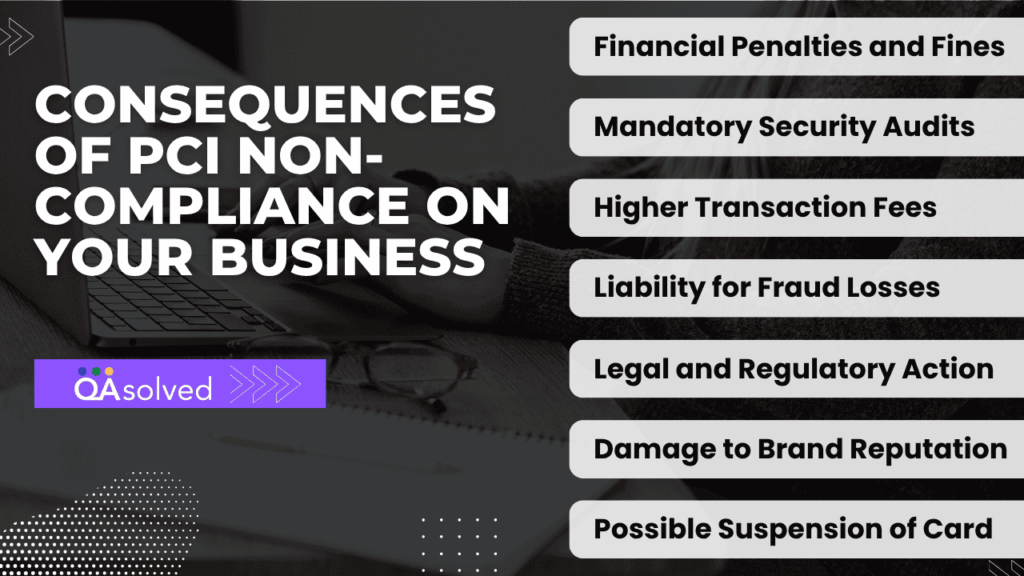
- Financial Penalties and Fines: Payment processors and acquiring banks can impose significant fines for failing to meet PCI standards. These penalties may increase if a data breach occurs while the business is non-compliant.
- Mandatory Security Audits: Non-compliant businesses may be required to undergo expensive forensic investigations and third-party security audits to assess vulnerabilities and verify corrective actions.
- Higher Transaction Fees: Banks and card networks may increase processing fees or impose stricter terms, raising the overall cost of accepting card payments.
- Liability for Fraud Losses: If cardholder data is compromised, the business may be held financially liable for fraudulent transactions, reissuance of cards, and related damages.
- Legal and Regulatory Action: Data breaches linked to non-compliance can lead to lawsuits, regulatory scrutiny, and contractual disputes with partners or customers.
- Damage to Brand Reputation: Loss of customer trust is often the most difficult consequence to recover from. A single breach can negatively impact brand credibility and long-term customer relationships.
- Possible Suspension of Card Processing Privileges: In severe cases, businesses may lose the ability to accept credit and debit card payments altogether, directly affecting revenue flow.
PCI DSS compliance is ultimately about risk prevention. The cost of maintaining compliance is significantly lower than the potential financial and reputational damage caused by non-compliance. By prioritizing security and staying aligned with PCI standards, businesses protect not only customer data but also their stability and future growth.
Conclusion
In short, PCI DSS compliance is not just a regulatory requirement. It is a fundamental part of running a responsible, secure, and sustainable business in today’s digital payment landscape. Every transaction carries customer trust and protecting cardholder data must remain a continuous priority rather than a one-time task.
For QuickBooks users, understanding how PCI DSS applies to your specific payment environment is the first step. While Intuit provides secure payment tools and partners with SecurityMetrics to support validation and scanning requirements, compliance ultimately depends on how your systems are configured, how data is handled, and how consistently security controls are maintained. Completing the correct SAQ, performing required scans, and renewing validation annually are essential parts of that responsibility.
By proactively strengthening your security posture, limiting access to sensitive information, keeping systems updated, and following PCI best practices, you reduce risk, avoid costly penalties, and protect your reputation. The investment in compliance today safeguards your customers, your revenue, and your long-term growth tomorrow.
Frequently Asked Questions
Any business that processes, stores, or transmits payment card information must comply with the PCI Data Security Standard (PCI DSS). This requirement applies regardless of company size, transaction volume, or industry. If you accept card payments in any form, PCI compliance applies to you.
PCI DSS is not a federal government regulation. However, when you sign an agreement with a payment processor to accept credit or debit cards, you agree to follow the security rules established by major card brands such as Visa, Mastercard, American Express, Discover Financial Services, and JCB International.
Additionally, some U.S. states, including Nevada, Minnesota, and Washington, have incorporated PCI-related requirements into their state laws.
Yes. PCI DSS applies to all businesses that accept card payments, even if you process only one transaction annually. Transaction volume does not eliminate the requirement; it only affects the validation level and documentation needed.
PCI compliance is generally enforced by your acquiring bank or merchant processor. The standards themselves are maintained by the PCI Security Standards Council, which was established in 2006 by major card brands to develop, manage, and promote PCI DSS requirements. However, enforcement actions such as fines or penalties typically come from banks and payment processors rather than the Council directly.
If you are using QuickBooks Payments and need to submit PCI compliance documentation, you typically do not upload it directly inside your QuickBooks account. PCI validation is usually handled through your payment processor, or the compliance partner associated with your account, such as SecurityMetrics.
However, if you have received instructions from QuickBooks or need assistance with your compliance submission, you can contact QuickBooks Support directly.
If your business accepts, processes, stores, or transmits credit or debit card payments, you must comply with PCI DSS, regardless of size or transaction volume. PCI PTS applies specifically to payment terminals and PIN entry devices, while PCI DSS covers your overall payment environment. In short, if you accept card payments in any form, PCI compliance applies to you.