Updated
8 min read



The world of business accounting and bookkeeping transformed with the emergence of tools like Quicken and QuickBooks. As small and medium sized businesses struggled to systematically record their day-to-day transactions, Intuit stepped in as a game-changer, empowering businesses to manage their accounting and bookkeeping processes with ease. However, as with any technology, QuickBooks isn’t without its challenges. Users may encounter various issues that can disrupt their workflow. One common issue is QuickBooks Error 350, which typically occurs when there’s a problem connecting to bank feeds.
The QuickBooks 350 Error affects your workflow when there is a problem with the connection between QuickBooks and your bank, usually due to expired credentials or bank updates. It can hinder the automatic update of transactions, causing inconvenience and delays in tracking finances. Understanding how to identify and resolve such errors is essential for maintaining a seamless accounting experience. In this blog, we are going to highlight the common causes that provoke Error Code 350 in QuickBooks along with the steps and solutions that can fix this error in both Online and Desktop versions. So, let’s begin with this.
A QuickBooks Error Message 350 can disrupt the connection between your bank and QuickBooks Online, leaving transactions in limbo. An expired bank login credential, connection issues on the bank’s end, or outdated QuickBooks settings may cause this error. Inactive bank accounts in QuickBooks, incorrect account linking, and temporary server downtime can also cause this problem. Here is a breakdown of each cause that leads to QuickBooks Error Message 350 and how they can be resolved.
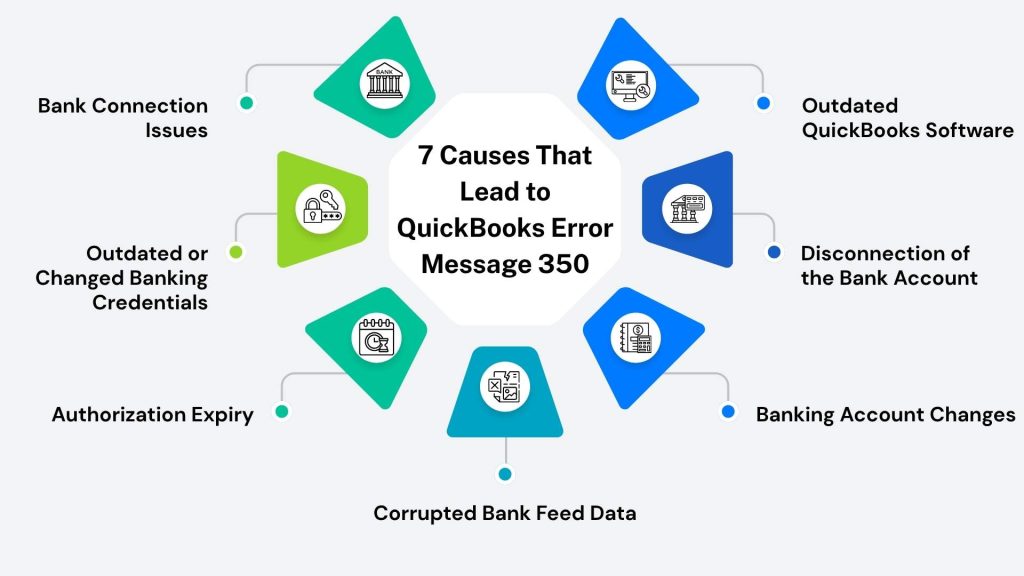
So, these are some common causes that lead users to encounter QuickBooks Error Code 350. By fixing this error promptly, users can achieve accounting and bookkeeping excellence. But do you know what the possible signs of Error Code 350 in QuickBooks Desktop are? Let’s begin with it.
The warning signs of QuickBooks Error Code 350 can help you prevent workflow disruptions. Failed bank connections, missing transactions, repeated login prompts, and syncing delays are common indicators. There are also other symptoms that may point to this issue, such as error pop-ups and outdated account information. Identifying these signs early facilitates faster troubleshooting and ensures uninterrupted financial data access.
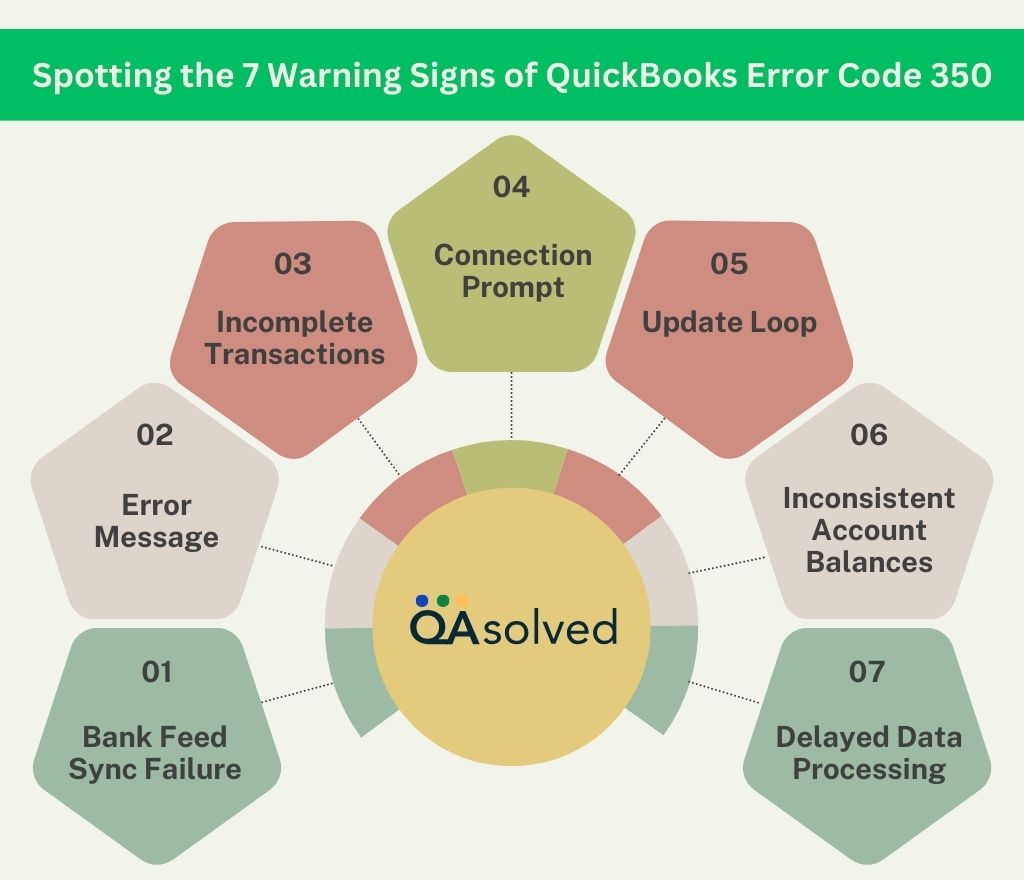
So, these are the seven red flags that lead to QuickBooks Error Code 350. If you can address these issues promptly, you can prevent disruptions in your accounting workflow and maintain seamless connectivity with your financial data. Let’s now head towards the most exciting and valuable part of this blog and help you get rid of the Error Code 350 in QuickBooks.
The following are two effective solutions for resolving Error 350 in QuickBooks Online, ensuring smooth and secure bank connections. By connecting your bank and credit card accounts, QuickBooks automatically downloads your recent transactions, keeping your records up-to-date.
Note: Some banks require reconnection every 90 days, while others may only require it every 18 months, depending on their security protocols. By taking these steps, future connection errors can be prevented and QuickBooks data syncing can be maintained seamlessly.
Consider using an incognito or private browser if the problem persists, or explore other browser troubleshooting options.
We’ve covered steps to fix Error 350 in QuickBooks Online. As we move forward, let’s look at how to resolve this issue in QuickBooks Desktop.
Need Help Resolving QuickBooks Error 350?
Don't let technical issues slow down your accounting process. Contact Us Today for fast, reliable solutions tailored to your needs!
Error 350 shows the message: “Verify ToC: Verify has failed due to an error under Transfer of Credits related to transactions.” Transactions usually involve an invoice, a general journal entry, and a payment. When the transactions are not linked correctly, this issue occurs. To fix it, follow these steps:
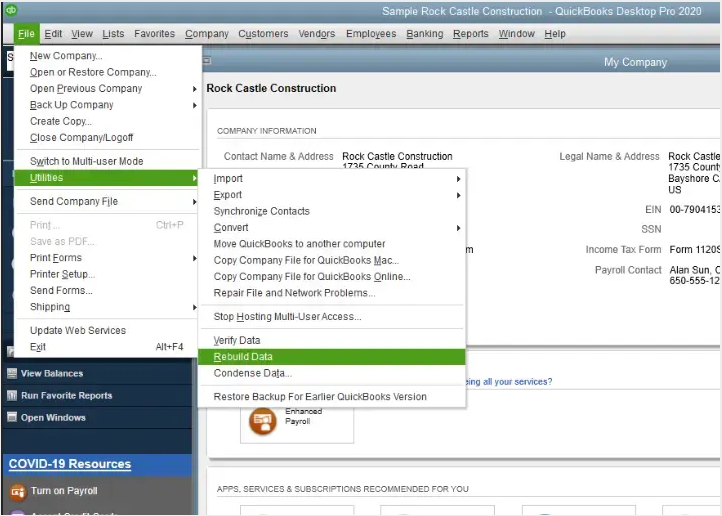
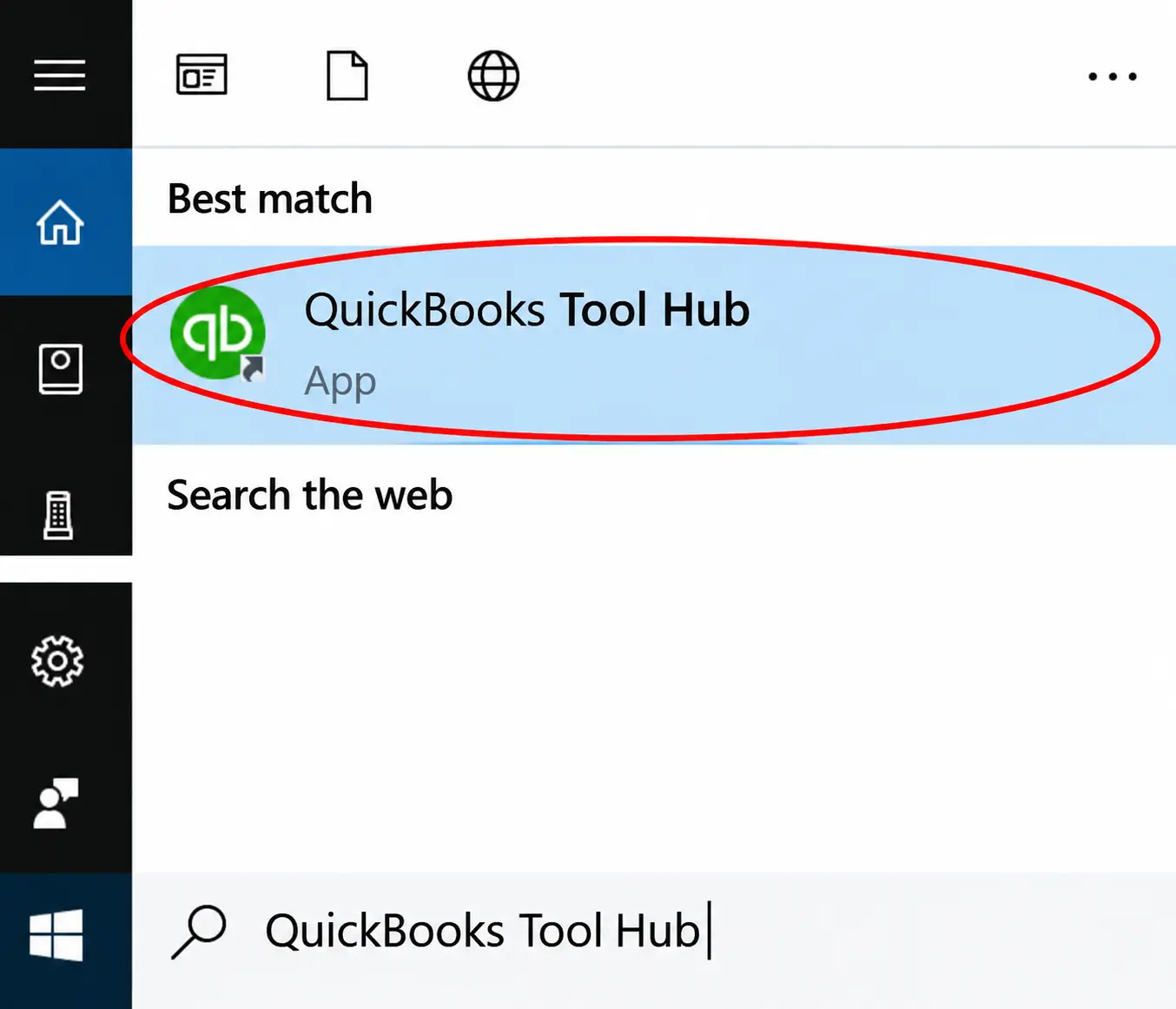
For QuickBooks Desktop for Windows, download and install QuickBooks Tool Hub.
So, these are the possible causes that lead to QuickBooks Error Code 350. It doesn’t matter if you’re aware of the causes unless you’re fully aware of the signs and potential solutions to fix this. With the steps outlined above, you will be able to resolve QuickBooks Error Code 350 in both QuickBooks Online and Desktop. With these, you will get back to managing your finances smoothly and restore your bank connection.
In conclusion, QuickBooks Error Code 350 can disrupt your financial management by interfering with your bank feeds and transaction updates. However, by understanding the causes and following the outlined steps, you can effectively resolve this error in both QuickBooks Online and Desktop versions. Staying proactive with regular updates and troubleshooting practices can help you avoid similar issues in the future, ensuring that QuickBooks continues to support your business’s accounting needs smoothly.
If the error persists, don’t hesitate to reach out to a QuickBooks support expert for tailored assistance to get back on track quickly and efficiently.
It typically indicates a problem with connecting to your bank or credit card account for online banking transactions.
1. First, verify that your bank’s website is accessible without any issues.
2. Update QuickBooks to the latest version.
3. Disable and re-enable online banking for affected accounts.
4. Verify the account information, including login credentials.
5. If the issue persists, contact your bank for assistance or wait for their servers to become operational.
QuickBooks Error Code 350 is not as common as some other errors, but it can occur due to various reasons, including server issues on the bank’s side or QuickBooks software problems.
While you can’t always prevent this error, keeping your QuickBooks software updated and regularly reconciling your accounts can help minimize such issues.
If you’ve tried the basic troubleshooting steps and continue to encounter Error Code 350, it’s advisable to contact QuickBooks support or your bank’s customer service for further assistance.
Remember that error codes in QuickBooks can sometimes be caused by factors beyond your control, such as bank server issues, so patience may be required when resolving them.
About the author
Have a QuickBooks® question? Our ProAdvisors can help. QAsolved is not affiliated with Intuit.