Updated
10 min read



Managing accounts receivables effectively is one of the most crucial aspects for maintaining healthy cash flow for a business. An account receivable is money owed to a business by a customer for goods or services that have not yet been paid. Customers purchase products or services on credit and agree to pay later. These sales are typically invoiced so that payments can be collected later. Accounting classifies accounts receivable as an asset. However, if the amount of unpaid receivables accumulates too high, companies are likely to face troubles covering its expenses and bills. Managing accounts receivable effectively is critical to maintaining healthy financial operations.
With QuickBooks, you can manage your accounts receivable and other financial tasks in one place. You can easily manage your receivables and cash flow with QuickBooks, including accessing the A/R Aging Report, creating and sending invoices, and setting up reminders for overdue payments. Whether you are using QuickBooks Online or QuickBooks Desktop, the account receivable feature enhances your cash flow management by simplifying receivables and taking full charge of your business finances.
Moving further in this blog, we’ll thoroughly dive into the intricacies of the accounts receivable in QuickBooks for a better understanding.
The term ‘Accounts Receivable’ refers to the outstanding bills that a business is owed by its customers for goods and services that have been delivered but have not yet been cleared. In addition to impacting your business’s liquidity and financial health, it represents money that will eventually be collected. By managing AR effectively, you will ensure timely payments, reduce late fees, and maintain positive relationships with your customers.
QuickBooks plays a crucial role in simplifying and automating the management of accounts receivable. It makes it easy to create and send invoices, track outstanding payments, set up automatic payment reminders, and generate reports that provide insights into your cash flow and aging accounts. Additionally, QuickBooks helps you stay on top of overdue invoices and manage receivables efficiently by categorizing and reconciling payments. In short, QuickBooks simplifies and organizes tracking and collecting payments for small or large businesses, giving you greater control over your finances.
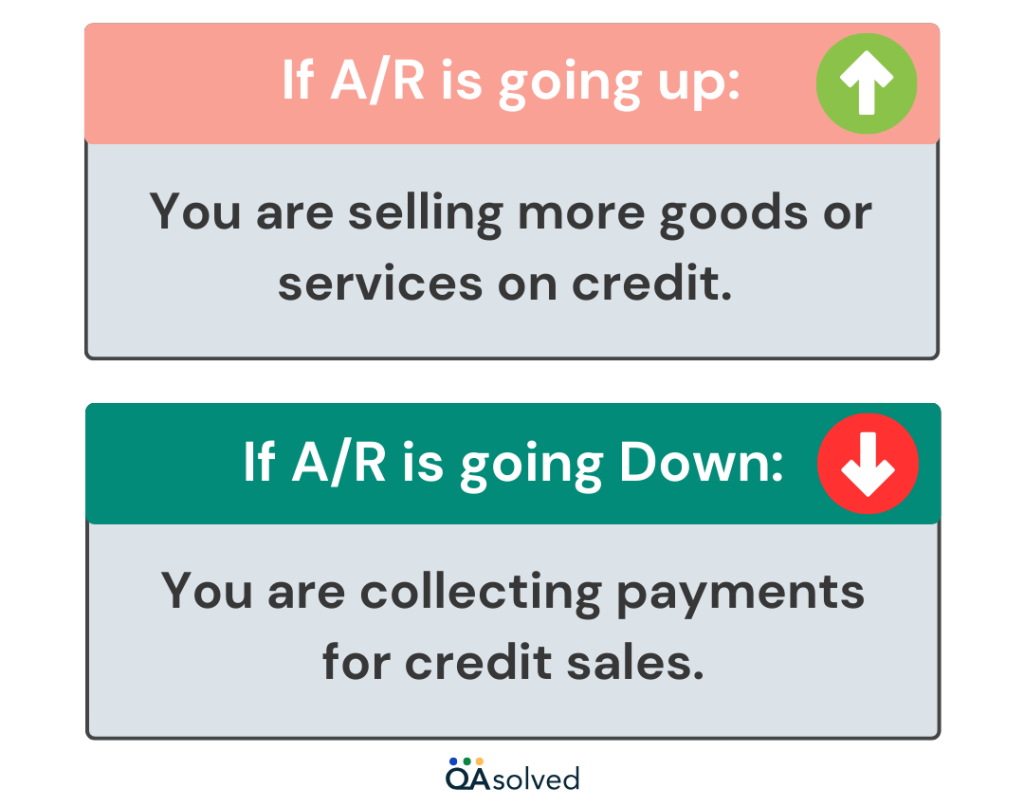
Now, let’s look at two key ratios for measuring and tracking your accounts receivable:
The accounts receivable turnover ratio is a financial metric that assesses how efficiently a company collects payments from its customers within a specific accounting period. This is also known as the “receivable turnover” or “debtors turnover” ratio.
The formula for calculating the accounts receivable turnover ratio for one year is as follows:
Accounts Receivable Turnover Ratio = Net Credit Sales/Average Accounts Receivable
Current Ratio: This financial metric, often referred to as working capital, serves as an indicator of a company’s liquidity. It assesses the company’s capability to meet short-term financial obligations using readily available cash or other liquid assets that can be converted into cash within one year.
Working Capital Ratio = Current Assets/Current Liabilities
Days Sales Outstanding (DSO): This metric reveals the average duration it takes for your customers to settle payments for the goods and services provided by your company.
Days Sales Outstanding = Accounts Receivable for a Given Period/Total Credit Sales X Number of Days in the Period
In this ratio, you can see how often an organization collects its average accounts receivable balance. Higher ratios indicate that receivables are being collected more quickly, which is generally positive.
Industry-specific turnover ratios vary. Restaurants and grocery stores, for instance, receive immediate payment through cash or credit cards. However, companies selling bulk or high-ticket items may experience longer payment cycles, sometimes extending for months. Comparing your turnover ratio with others in your industry can help you gauge your performance.
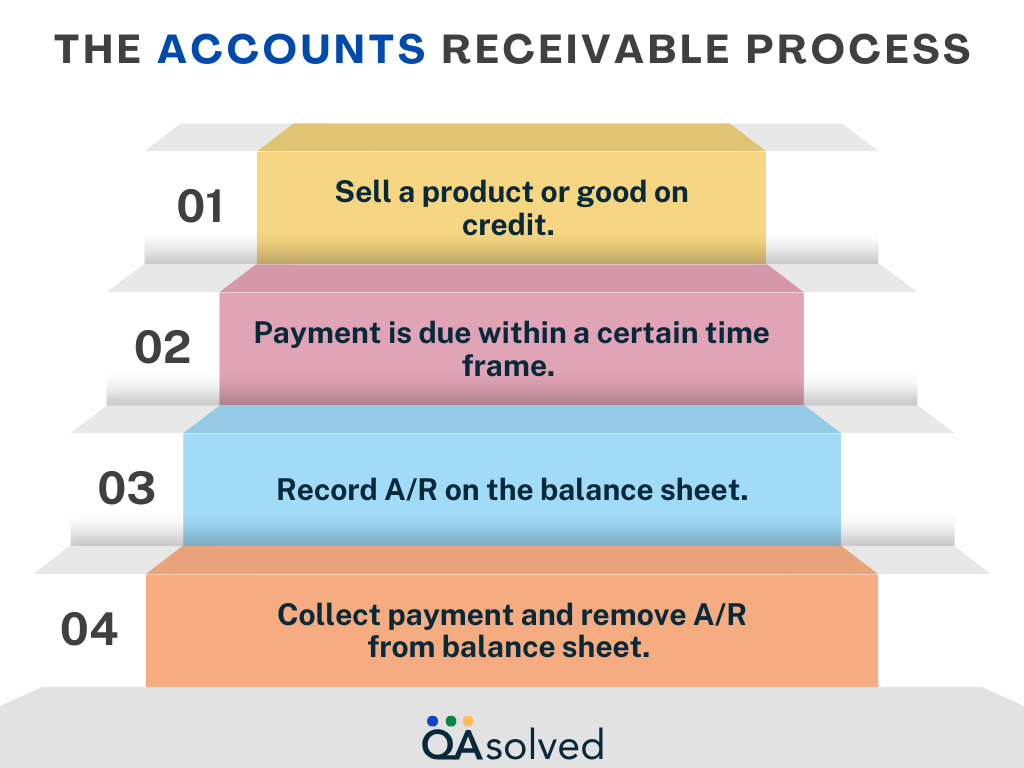
Given below are the steps to set up accounts receivables in QuickBooks:
Managing your accounts receivable (AR) allows you to keep track of the funds that are owed to your business by customers or third parties. Keeping track of AR in QuickBooks is simple and efficient, helping you maintain comprehensive sales and customer reports.
Keeping track of accounts receivable (AR) is crucial to maintaining accurate financial records and ensuring timely payments. QuickBooks’ AR tracking feature allows you to keep a close eye on outstanding invoices and improve cash flow management. Here, we’ll walk you through the steps to set up and track accounts receivable within QuickBooks so you can stay on top of your customer payments.
With this simple setup, not only can you manage customer accounts more efficiently, but your financial records will stay up-to-date as well. You’re now ready to take full advantage of QuickBooks’ features for smooth and accurate business operations.
Need Help Setting Up, Tracking, and Managing Accounts Receivable in QuickBooks?
If you’re unsure how to set up AR in QuickBooks or need help with tracking and managing outstanding invoices, we’re here to assist! Contact us today to learn how to set up and manage accounts receivable in QuickBooks.
QuickBooks offers a range of tools for managing accounts receivable, from creating invoices and sending them to tracking payments and managing overdue accounts. You can easily monitor outstanding balances, generate overdue payment reminders, and streamline the entire AR process with its user-friendly interface. Whatever your client base, QuickBooks makes it easy to maintain a healthy cash flow and collect payments promptly. This section will guide you through using QuickBooks to effectively manage your accounts receivable.
By following the above-mentioned approaches, you can ensure efficient accounts receivable management and maintain healthy cash flow.
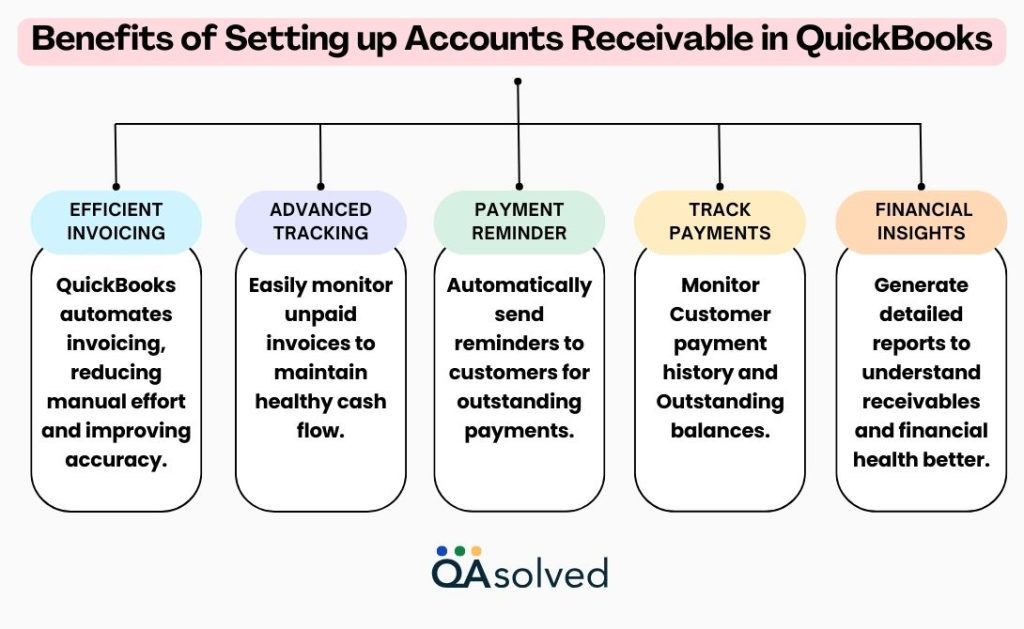
Accounts receivable should be closely monitored by businesses in order to avoid cash flow issues that impede day-to-day operations. QuickBooks Online can streamline the AR process by tracking invoices, sending automated payment reminders, and producing detailed reports to help you stay on top of your finances. QuickBooks helps you manage accounts receivable, improve cash flow, and ensure timely collections.
QuickBooks simplifies managing accounts receivable with its powerful features, which are essential for maintaining a healthy cash flow. You can track payments, generate invoices, send reminders, and analyze aging reports with QuickBooks. Manage your accounts receivable with QuickBooks to gain better control over your finances, reduce the risk of late payments, and ensure that your business runs smoothly. You can make more informed financial decisions and focus on growing your business when you have everything in one place. If you require any further information or have any questions, don’t hesitate to get in touch with us. We’re here to help!
Accounts Receivable refers to money owed to a business by its customers, while Accounts Payable refers to money a business owes to its suppliers or creditors.
To set up AR, ensure that you have created customer profiles and assigned proper terms and conditions for credit sales. Also, you can customize invoices and set up reminders for overdue payments.
Navigate to the “+ New” button and choose “Invoice” Mention customer details, product descriptions, quantities, prices, etc. Save & send the invoice directly from QuickBooks.
QuickBooks tracks pending invoices and sends timely payment reminders through automation. You can also see a detailed report on pending balances and manage follow-up actions.
It measures the efficiency of businesses collecting pending payments with the help of detailed financial reports generated through QuickBooks that calculate the ratio between sales and receivable balances.
About the author
Have a QuickBooks® question? Our ProAdvisors can help. QAsolved is not affiliated with Intuit.